Niji 8 is now available, bringing a new set of improvements to Niji Journey’s anime-focused AI image generator.
Announced on November 24, 2026, the latest model introduces more precise prompt following, improved character consistency, better spatial reasoning and a dedicated editing model.
Users can also use the new version through Discord or the Niji website.
Key takeaways
- Niji 8 is Niji Journey’s latest anime-focused AI image-generation model, released on November 24, 2026.
- The model introduces improved prompt following, spatial reasoning and image coherence.
- Its new editing feature helps users maintain character consistency by combining character and background references.
- Users can access Niji 8 through Discord with
--niji 8or select it from the Niji website’s Version dropdown. - Niji 8 also improves Style References and Moodboards to help guide visual consistency.
What’s New in Niji 8?
Niji 8 focuses on improving how the model understands prompts and handles different visual elements in an image.
According to the official announcement, it is the fastest and most coherent Niji model so far.
One of the main improvements is spatial reasoning. This means the model is better at understanding how objects and characters should relate to each other in a scene.
For example, users can describe a character sitting on a bed, packing clothes into a suitcase, with other objects placed in the background. Niji 8 is designed to follow these instructions more accurately.
The model also supports more detailed scene creation, including simple manga or comic pages with multiple panels described in a single prompt.
Niji Journey also recommends trying its HD feature with the new model, although the announcement does not provide specific technical details or performance measurements for it.
How Does Niji 8 Improve Character Consistency?
Character consistency is one of the main changes in Niji 8.
The model introduces an editing feature that replaces the character reference workflow users previously had in Niji 6.
Basically, users can take a character image and combine it with another image, such as a background, to place the same character in a different scene.
For example, you can provide a character reference and a picture of a boat, then ask Niji 8 to place the character on that boat.
The editing feature can also handle smaller changes, such as adding an accessory or adjusting a character’s appearance.
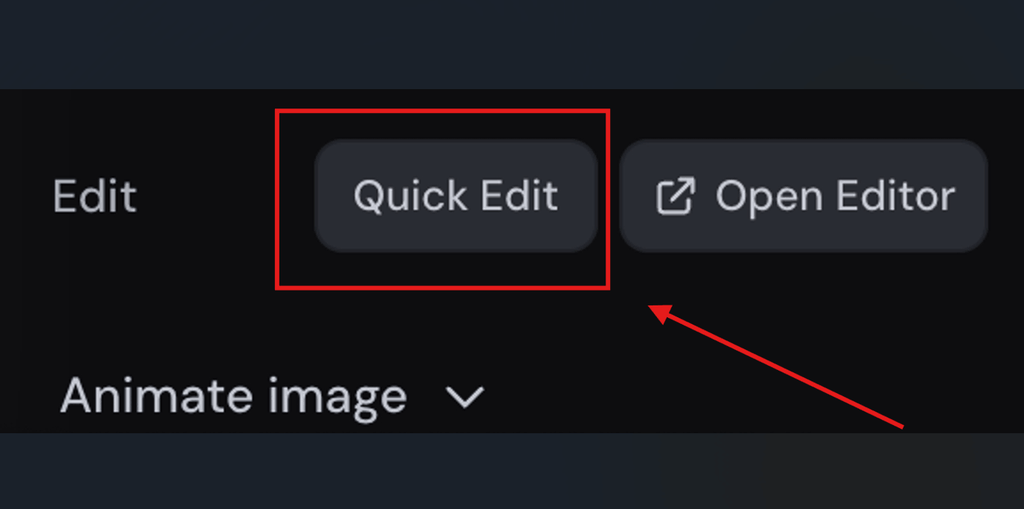
To use it, open a completed generation and select the Quick Edit button in the bottom-right corner.
This opens an editing menu where you can attach additional images and describe the changes you want.
Niji Journey explains that using two images, one for the character and another for the background, can provide more control over the result.
It also recommends using clear, high-quality reference images because blurry or pixelated inputs can affect the output.
How to Access Niji 8?
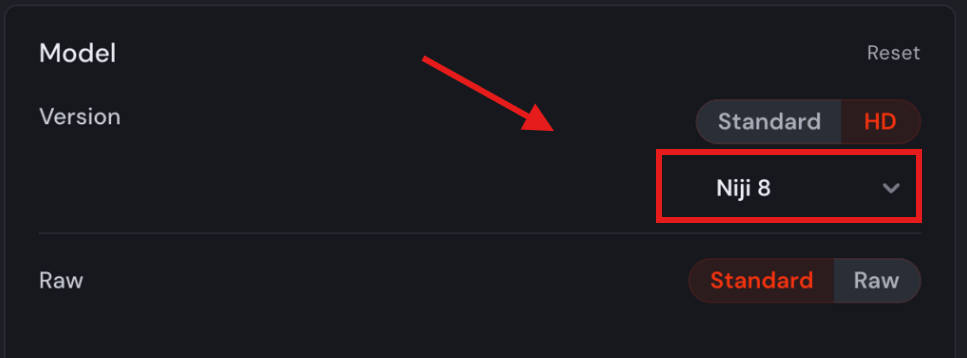
Niji 8 can be selected through both Discord and the web interface.
- Discord: Add
--niji 8at the end of your image prompt. - Web interface: Open the settings beside the prompt bar and select Niji 8 from the Version dropdown.
This means existing users can try the new model without changing to a separate image-generation platform.
What Changes Should Users Expect From Niji 8?
One change worth understanding is how Niji 8 handles variety.
Niji Journey explains that Niji 7 often produced similar characters when users entered the same words.
Niji 8 takes a different approach and offers a wider range of results for the same prompt, similar to Niji 6.
In simple terms, using a short prompt can produce more varied results, while adding more details gives the model a clearer idea of what you want.
The company also says that Style References (--sref) and Moodboards have been improved to support visual consistency.
Niji 8 is now live, and its main changes focus on prompt understanding, scene composition and character editing. For users creating anime illustrations, these updates provide additional ways to control characters and place them in different scenes without relying only on repeated text prompts.
Also Read –
What is Midjourney? A Comprehensive Guide (Updated)
How Does Midjourney Work? Complete Guide for Beginners (Updated)
Midjourney Prompts: How to Write Better AI Image Prompts?

I’m Suraj R. Singh, interested in AI image generation and creative technologies. I follow Midjourney’s latest updates, features, model developments, and prompting techniques. Through Midjourney AI, I share practical guides, tutorials, and insights to help readers understand the platform and get better results from AI-powered creative tools.