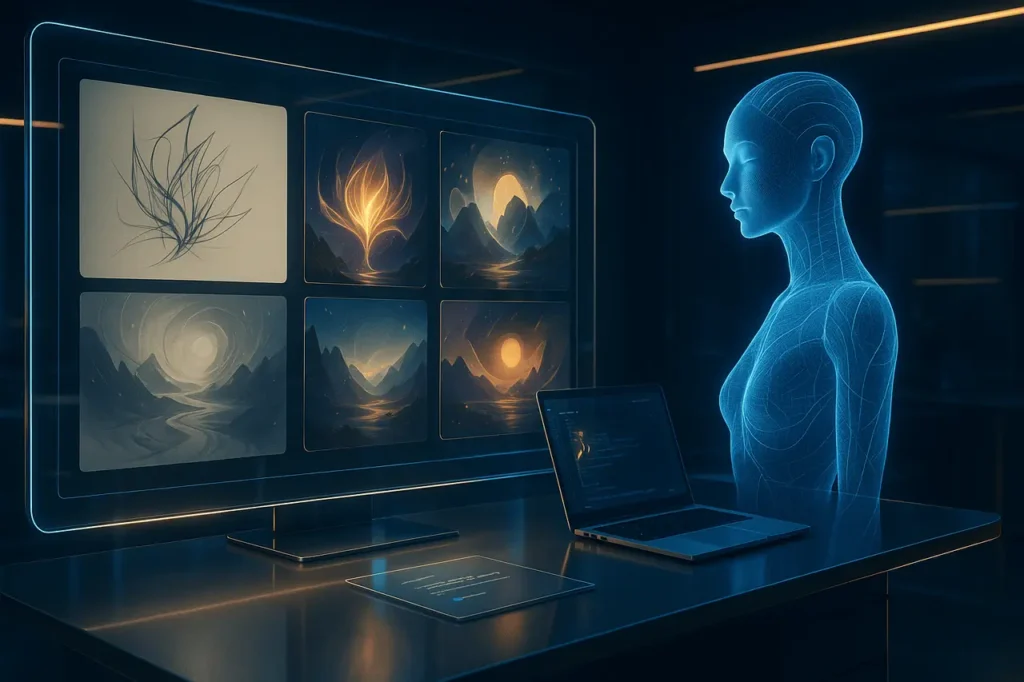
High-quality MidJourney prompts are the difference between mediocre AI art and professional-grade, visually stunning images. MidJourney can be a powerful tool for creating images, but its output depends entirely on the quality and clarity of the prompt. ChatGPT is a powerful tool that helps users translate their thoughts into visual language. ChatGPT, when used correctly, can serve as a dedicated MidJourney engineer, transforming concepts into detailed, structured prompts optimised for image creation.
This guide will show you how to get ChatGPT to create MidJourney prompts that are consistently exceptional. This guide covers the structured steps, prompt frames, optimisation techniques, and advanced methods used by AI artists to maintain style, quality, and creativity in their visual workflows.
Understanding the role of ChatGPT for MidJourney Prompt Engineering
ChatGPT is more than just a text generator. It’s a system that can adapt to different styles, provide descriptive details, and even make creative decisions. MidJourney’s goal when crafting prompts is to convert a concept to a visual language that MidJourney can understand. ChatGPT can expand vague descriptions into cinematic, style-based, or highly technical descriptions, which trigger MidJourney’s ability to create better images.
ChatGPT, for example, can turn a user’s “futuristic city” into a detailed story: a sci-fi metropolis with neon signs, layered architectural features, reflective surfaces and dynamic lighting. MidJourney output quality is directly affected by the difference between these two descriptions.
Step 1. Defining ChatGPT as an expert on MidJourney prompts
You must instruct ChatGPT to behave as a MidJourney prompt expert to get the best possible results. ChatGPT will focus on visual clarity, stylistic depth, and descriptive accuracy in this role definition.
An example of a precise instruction would be:
“Assume the role of a MidJourney prompt specialist who creates visually rich, highly detailed prompts using accurate artistic terminology and a structured composition with lighting details.”
ChatGPT will now better understand images and videos by focusing on their colours, textures, movements, and other design elements, rather than just plain text.
Step 2: Presenting Your Concept Clearly
ChatGPT is most effective when you give it a clear understanding of your goals. It can be short or lengthy, but the concept must be defined. You can describe:
- A subject
- A scene
- An object
- A character
- A mood
- A location
- A style direction
Instead of saying “a dragon”, you could say:
“A majestic Dragon perched on a Cliff at Sunrise, Wings Spread, overlooking a Foggy Valley.”
This provides ChatGPT with enough structure to create a visually appealing prompt.
Step 3: Add Style, Medium and Creative Direction
MidJourney is highly responsive to stylistic cues. These cues include art styles and photography types, cinematic themes, design movements or cultural aesthetics. ChatGPT will automatically incorporate these elements if you specify a creative direction.
For example, you may request:
- Photorealism
- Watercolor illustration
- Cyberpunk aesthetics
- Studio portrait photography
- Vintage film look
- Isometric Art
- Architectural visualization
After ChatGPT determines the desired direction, the prompt will be shaped to blend the concept with the selected style.
Step 5: Requesting an appropriate mid-journey-friendly prompt structure
A structured MidJourney is a professional prompt. ChatGPT must be told to format the prompt for AI interpretation. Expert prompters use a structure that includes:
- Primary scene and subject
- Features Detailed Description
- Environmental elements
- Lighting
- Camera settings and composition
- Medium or style of artistic expression
- Optional MidJourney parameters
An organised prompt will ensure that MidJourney is receiving visual instructions in layers rather than random descriptions.
Step 5: Creating multiple variations for creative flexibility
Iteration is often the key to creativity. ChatGPT can generate variations of a concept rather than relying on a single prompt. The variations can differ in terms of mood, lighting style, camera angle, or atmosphere.
Allows you to experiment with different rendering directions before selecting the best one.
Step 6: Integrating MidJourney Parameters for Refinement
MidJourney contains parameters that control
- Aspect ratio (–ar)
- Stylization (–s)
- Chaos (–chaos)
- Version (–v)
- Style modes
ChatGPT can be instructed to include specific parameters to align your prompts with your desired output better. Adding –ar 16/9 gives you a cinematic look, while adding –style raw provides a realistic appearance.
You can request:
“Include MidJourney parameters which enhance realism, cinematic composition and realism.”
ChatGPT embeds them automatically into each prompt.
Step 7: Avoiding Restricted Terms or Ineffective Terms
MidJourney restricts the use of certain brands, names, and copyrighted content. ChatGPT can be instructed to:
- Exclude copyrighted character names
- Avoid describing content that is explicit or restricted
- Remove unnecessary Filler Words
- Maintain the prompt in a clean and professional manner
This simple instruction is enough:
“Ensure that the prompt is compliant with MidJourney usage policies by avoiding restricted terms.”
An Example of a Fully-Structured ChatGPT Instruction
This is an instruction you can give ChatGPT to get professional prompts.
“Assume the role of a MidJourney prompt specialist. Create four detailed prompts based on the concept given below. Use cinematic compositions, lighting details, textures, environmental depth and stylistic direction. The prompts should be written on a single line and include the appropriate MidJourney parameters. For example: “A futuristic samurai standing on a neon roof overlooking a city of cyberpunk.”
Structured instruction is a type of instruction that consistently produces high-quality results.
What makes ChatGPT’s MidJourney prompts rank-worthy content?
This article has a professional format, with logically ordered sections, smooth transitions, and concepts explained in depth. Search engines prioritise these qualities.
Each section builds on the last to create an authoritative and cohesive narrative. This will make the article more valuable to users and likely to rank higher in Google.
My Final Thoughts
ChatGPT allows you to create detailed, expressive and production-ready MidJourney Prompts. You can create world-class prompts by defining roles, presenting clear concepts, selecting a style direction and requesting a structured output.
This workflow is perfect for producing AI art, whether it’s for personal projects, campaigns or professional design.
Frequently asked questions
1. Can ChatGPT replace manual prompting?
Yes, for many users. ChatGPT is a professional tool, particularly when you give structured instructions. Manual fine-tuning is still possible to enhance specific artistic results.
2. Does ChatGPT require advanced knowledge of MidJourney?
No. ChatGPT will handle technical issues such as lens settings, lighting types, and art styles. You must describe your idea.
3. Can ChatGPT prompts be created for any image type?
Yes. Yes.
4. How can I make ChatGPT write shorter prompts rather than long ones?
Indicate your preference, for example: “Limit prompts to 25 words or less” or “Keep prompts concise.”
5. ChatGPT stays updated with the new MidJourney version?
When you tell ChatGPT to “Create prompts optimised” for MidJourney V6, it will adapt the language and structure to the prompt.
Also Read –