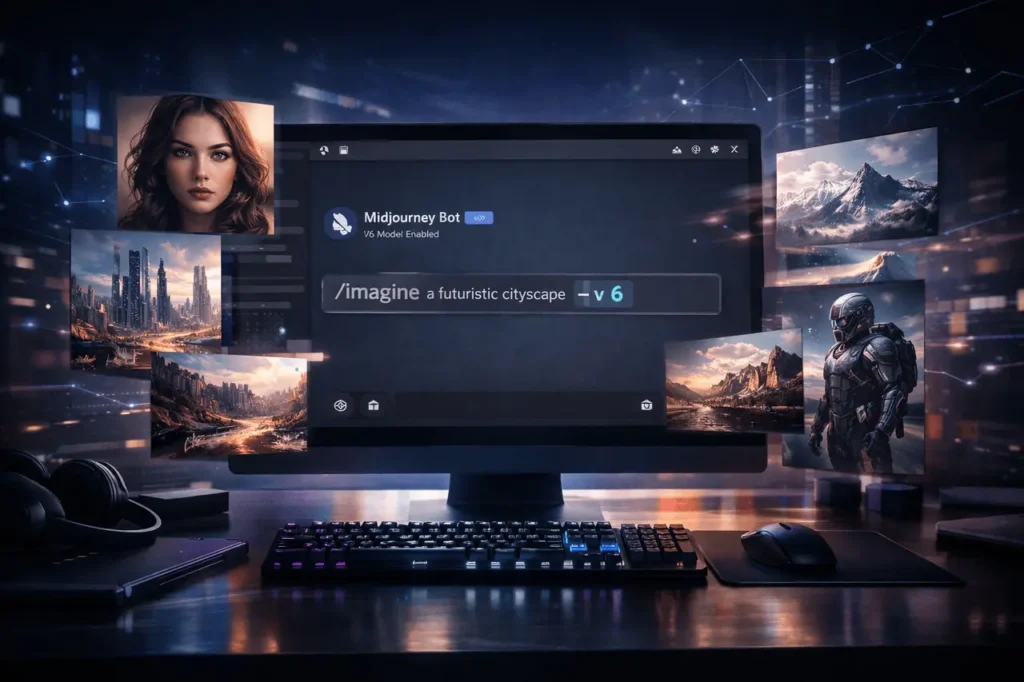
The release of Midjourney’s Version 6 marked a significant step forward in image quality and quick, high-quality results. Even with the latest releases, several creators have preferred V6’s style and appearance, and Midjourney continues to allow users to select it in advance.
This guide will walk you through how to get Midjourney V6, what to expect, and the best way to handle common issues. When a situation is time-sensitive, I’ve included dates and hyperlinks to the official Midjourney documentation, along with update notes.
What is Midjourney V6?
Midjourney V6 was the sixth version of Midjourney’s AI-powered image generation system, designed for prompts. It was a significant improvement over previous versions and remains widely used by designers who value its output style and quality.
The Key features and features of Midjourney V6 are:
1. Enhances prompt understanding
Midjourney V6 interprets descriptive language, styles, and composition guidelines more precisely, producing images that are more in line with the user’s intention.
2. Improved realism and clarity:
Noticeable improvements to the facial features, hands, lighting, textures, and proportions make images appear more authentic and polished.
3. Enhanced controls for composition:
Complex scenes with multiple backgrounds, subjects, and depths are handled better than in previous versions.
4. More consistently produced outcomes:
V6 reduces the chance of randomness and produces more reliable results. This is especially beneficial for marketing, branding, and reproducible design workflows.
5. Better text handling (compared with older versions):
Although still not flawless, the V6 version has improved the precision of the text and symbols in images, compared to earlier Midjourney versions.
6. The preferred aesthetic for many designers:
Certain users still prefer V6 since its style differs from other models and better aligns with their commercial or creative needs.
7. Still available:
Midjourney V6 can be set by using the settings option in Discord, or using the ” –v6 parameter to the individual prompts.
In the end, Midjourney V6 remains a solid and flexible choice for those who require high-quality AI-generated images with quick turnaround and consistent results.
1.) Do you require an account with Midjourney or a subscription?
Yes. Midjourney is primarily accessible via the Discord bot and also through Midjourney’s website. Generating images requires a registered account, and to use the service indefinitely or for faster access, it is recommended to subscribe.
It is possible to join the Midjourney Discord and try a small number of free generations in certain situations; however, it is recommended to sign up for a paid subscription for more frequent use and to access features with confidence. The Midjourney bot is also invited to your personal Discord server if that is your preferred workspace and you’d like it to be private.
2) Quick checklist to follow before you begin
- An account on Discord (desktop application or web).
- A Midjourney account linked with Discord (join Discord’s official servers).
- A subscription fee (recommended to get rid of limits).
- Basic knowledge of the command /image as well as its parameters.
3) Step-by-Step: How to get Midjourney V6?
Step A – Join Midjourney’s Discord
- Create/log in to Discord.
- Go to midjourney.com and then click the Discord invite or the official invitation link. Once inside the server, you can interact with the Midjourney bot via the newbie or newcomer channels.
Step B- Subscription (optional, however recommended)
Choose the Midjourney plan in the billing section of your account on the site. Trials for free (if available) are limited. Paid levels unlock quicker queues, higher resolutions, and private use. (Check your current plan names and pricing on the Midjourney Account.)
Step C – Choose V6 as your model
Two simple methods to utilize V6:
- Use the Settings panel (recommended). Enter settings in any channel where a Midjourney bot is present. If the message about settings appears, select the dropdown for model/version, and then select V6. It will set V6 as your preferred default for any future tasks.
- Utilize the version parameter within an inline: Add –v6 (or the version number) to the last line of each prompt to force this single task to be run on V6. Example:
- Imagine a cinematic picture of an astronaut — v 6
- This technique helps mix multiple versions simultaneously.
Note: The Midjourney updates page states explicitly that you can return to V6 using /settings or by adding the word “v6” to your command line. This is described in V6.1 Update notes (July 30, 2024).
4.) What was changed in 4 (and the reason why people continue to utilize it)
V6 focused on cleaner composition, enhanced hand and anatomy, and greater image coherence when compared with earlier versions. V6.1 added quality and upscaler enhancements as well as quicker standard job tasks. Because subsequent major versions (for instance, V7) altered the default aesthetics and internal behavior, Many creators maintain V6 accessible for workflows that require its particular rendering style. If you prefer the V6 output, choose V6 as the primary option, or add –v6 to the prompts.
5) Prompting advice for better V6 results
- Be precise but succinct. V6’s brain is more flexible to the wording, and clear, precise descriptions will yield predictable results.
- Utilize parameters in a controlled manner. Include parameters such as –q (quality) or –stylize to determine the rendering. In V6.1, the –q option can only be used with the specified parameter values (e.g., 0.5, 1, 2).
- Add image references by uploading photos to the prompt to integrate text and visuals.
- Experiment with the Personalization/Profile features if you want a consistent style across jobs. Creating a personalization profile for V6 requires selecting V6 as the default.
6) Common issues & troubleshooting
- V6 is not being displayed in /settings. Midjourney often alters defaults or models. If V6 is not present, it could be because the bot is rolling it out or because your subscription/role does not allow it. Retry later or check Midjourney’s status/announcements.
- Text rendering appears wrong. The text-in-image quality has improved with V6, but it’s not 100% perfect. Make use of the –no parameter, or experiment with different words for text that is cleaner.
- Refused jobs or a slow queue. Paying tiers and Faster mode speed up queues. Listen to the bot’s feedback and modify the content in accordance with Midjourney’s policies when an invitation is denied.
7) Do you think V6 is still the best option?
“Best” depends on your requirements. Newer versions (such as V7) may offer more appealing aesthetics or better results for specific tasks. However, V6 remains useful, and Midjourney continues to provide older versions to accommodate creators’ preferences. If a project relies on the V6 look, you can lock it in by setting it or using the –v6 option for every job.
Final Thoughts
The process of accessing Midjourney V6 is straightforward once you understand how it works. After joining the Midjourney Discord, activating a subscription, and choosing V6 via /settings, or the parameter –v6, you can continue using the model with no interruption. Although the latest versions can introduce new features and styles, V6 remains a reliable option for users seeking consistent results and improved image composition. While Midjourney continues to evolve, monitoring the latest updates and models will help you select the one that best suits your professional and creative needs.
Frequently Asked Questions
1. Do I have to pay for V6?
There is a chance to try Midjourney with small free trials; however, continuous or private use, and faster queues, typically require a monthly subscription.
2. How can I get a job to utilize V6?
Add”-v6″ (or”version 6″) to the prompt. Example: /imagine serene lake at sunrise –v 6.
3. I have set V6, but the images look different. Why is that?
Other settings, such as personalization profiles, settings, and default-style tuners, could influence output. Make sure you check your /settings active profile, your /settings, and any additional parameters you have added to prompts.
4. Can I invite the Midjourney bot to my private Discord server?
Yes, you can connect this Midjourney Bot to your own server to generate images privately and organize threads.
5. Does V6 have to be deprecated now that there’s V7?
Not always deprecated: Midjourney generally keeps earlier versions accessible, so creators can choose which to use. However, defaults are subject to change, and new features may only be available in the latest versions. Go to the official updates page for more specific information about the status and date.
Also Read –
Midjourney V1 Video Model: Complete Guide to Image-to-Video Animation