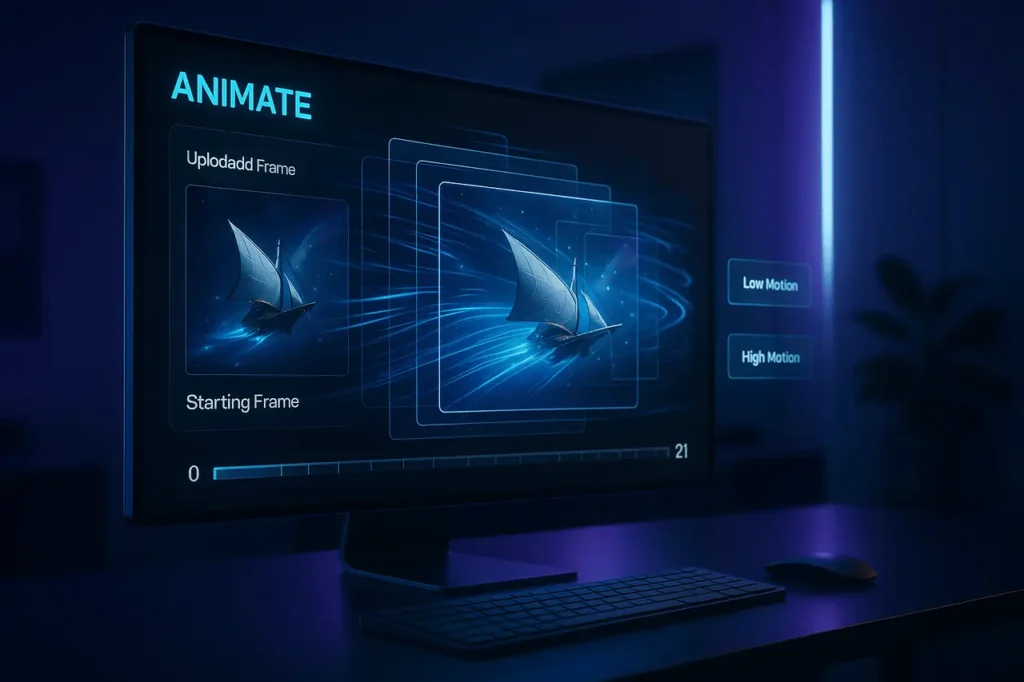
Midjourney has officially entered the future of AI innovation through the introduction of the V1 Model for Video, which converts every image to a cinematic, smooth 5-second video. The new workflow, Image-to-Video, is one of the most significant developments in Midjourney’s evolution and bridges gaps between image production and animated video.
With this update, the platform gets closer to its future vision: real-time, open-world simulations that allow users not just to create visuals but also to interact with them through both space and motion. V1 Video Model is the first step towards the future.
This article explains the essential information about the MidJourney V1 Video Model, and you should know about how the model operates, its capabilities and limitations, pricing, motion controls, looping, extending, and how to use it on the internet and Discord.
What is Midjourney ?
Midjourney is an AI image-generation platform that transforms text prompts into highly detailed, artistic visuals. It works primarily through a Discord-based interface and uses advanced diffusion models to create images, videos, and creative concepts. Users can generate artwork, designs, characters, environments, and now short animations through its evolving AI models.
What Is Midjourney V1 Video Model?
The Midjourney V1 Video Model is the first-generation platform for creating short videos from a single image. Instead of creating full-scene videos solely from text, the model focuses on image-to-video animation, using a still image as the initial frame.
The model predicts how the scene will develop and adds motion, perspective and atmosphere. It also predicts characters’ movements based on:
- your prompt
- the content of images
- Your preferred motion setting (Low or High)
Each generation can automatically produce at least four videos lasting 5 seconds. Users can extend them to 21 seconds.
Although technically a first stage in the larger picture, V1 is already powerful enough to make beautiful, smooth and visually captivating videos.
Why Midjourney Built a Video Model
Midjourney has been hinting that it would like to go further than still images. According to the Midjourney team, the long-term plan includes:
- Real-time rendered environments
- 3D spatial motion
- interactive worlds
- characters and the environments that are dynamically changing
To achieve this, they must have the foundational layers:
- images (already accomplished)
- Video (movement and time prediction)
- 3D models (accurate spatial navigation)
- Real-time systems (fast, interactive rendering)
V1 Video Model is the second step in this chain, an essential link between static pictures and interactive interactivity.
How the Image-to-Video System Works
The V1 model employs an image as a start frame. Then, it calculates visually related motion over time and creates a film that appears to be an expansion of an image.
There are three main components:
1. Starting Frame
This is the anchor image created by Midjourney or uploaded via your device. All motion predictions are based on this frame.
2. Optional Text Prompt
You can also leave the area blank, or explain how you would like the scene to change:
- “Wind blowing through the trees”
- “Camera pans forward into the fog”
- “Character slowly looks upward”
You can pick Automatic (AI creates this motion) instead of manual (you write the motion).
3. Motion Settings
The model V1 offers two kinds of animation:
- Low Motion
- ideal for delicate movement
- suitable for ambient scenes, light animation and slow character motion
- Sometimes, it is possible to create almost still images
- High Motion
- Ideal for dramatic motion
- More camera motion and dynamism of the scene
- can create distortions if they are over-pushed
Both are simple to switch directly from the interface or via the parameters.
Where You Can Generate Videos
1. On the Web (midjourney.com)
V1 Video Model is currently the most stable and feature-rich version of internet platforms.
Sign in, browse your gallery, or add an image. Then click to animate to generate.
2. On Discord
The video model is also available with Discord. However, users need to sign into the service using “Continue with Discord” to connect their accounts properly.
Video Features and Tools You Can Use
Animate Existing Midjourney Images
Every photo you have in your gallery now contains:
- Animate Auto
- Animate Manual
- Loop Auto
- Loop Manual
You may also edit your message before creating the animation.
Use Your Own Uploaded Images
You can upload images, artwork, drawings, illustrations, or renderings, and label them as the Start Frame.
The image is locked and secure while you experiment with various options.
Not Supported for Video
Specific reference images will not perform well in conjunction with video generation.
- Image Prompt
- Style Reference
- Omni/Character Reference
Only video-based image-to-video conversion is supported by V1.
Batch Sizes and GPU Costs
Videos consume more GPU time than static images. By default, every job produces 4 videos.
You can change this using --bs 1, --bs 2, or --bs 4.
GPU Cost Breakdown
| Resolution | Batch 4 | Batch 2 | Batch 1 |
|---|---|---|---|
| SD (480p) | 8 mins | 4 mins | 2 mins |
| HD (720p) | 26 mins | 13 mins | 7 mins |
Mega and Pro plans offer Relax Mode for SD videos, whereas HD is only available in Fast Mode.
Extending Videos Up to 21 Seconds
The basic length of a video is 5 seconds. Once you’ve created your clip, you can increase it in increments of four seconds.
- Maximum total duration: 21 seconds
- Each extension uses roughly the same amount of GPU time as a brand-new 5-second job
- You can choose to use Auto or Manual extend depending on whether you wish to alter the prompt.
This feature is great for character animation, storytelling, and slow cinematic reveal.
Looping and End Frames
You can make:
1. Looping Videos
The ending frame should match the beginning frame. This allows the video to loop seamlessly.
2. Multi-Image Transitions
Choose one image as the starting frame and another as the final frame.
The V1 model will be animated with an effortless transition between both.
This is in addition to the capability to develop:
- Character transforms
- Scene shifts
- Surreal conceptual shifts
- artistic cross-fades
Motion Control With Video Raw Mode
The addition of the –raw option removes any style or imagination that Midjourney often injects into.
It offers:
- tighter motion control
- More exact interpretation of your motion description
- diminished artistic highlights
It is helpful for workflows in professional environments where precision is crucial.
Video Resolutions and Output Sizes
Midjourney V1 creates videos in two resolutions:
- SD (480p) – default for all plans
- HD (720p) – available in Standard, Pro, and Mega plans
The aspect ratio is derived from the image, and the output dimensions are automatically adjusted.
Downloading Videos
You have three download choices:
- Download for Social (optimised .mp4)
- The best option for Instagram is X/Twitter TikTok, for example.
- Keeps clarity after compression of the platform
- Download Raw Video (.mp4)
- Original output
- Ideal for editing, archiving or workflows in VFX
- Download GIF (.gif)
- great for quick sharing
It is also possible to hover over the video to view a preview or scroll through it by pressing Command/Control.
Why Midjourney’s Video Model Matters
V1 Video Model V1 Video Model is more than just a feature for fun. It is a symbol of:
- An essential step towards AI-powered simulation
- A new workflow to create creativity for designers, filmmakers, marketers, and filmmakers
- an entirely new kind of storytelling created by AI
- A technological leap towards real-time, interactive worlds
It’s affordable, easy to access and very easy to utilise -an uncommon combination for video generative.
Final Thoughts
Midjourney V1 Video Model is a significant release. Although it’s a very early version with smooth motion, it comes with flexible prompts, as well as practical controlling motions, looping capabilities and more -and all for a fraction of the cost of conventional AI videos.
You may be a creator trying out motion, a filmmaker experimenting with concepts, or a storyteller bringing scenes to life. The V1 model offers you a new and powerful way to let your imagination animate.
Further upgrades, more efficient models, and even more powerful video features are coming up on the horizon, and this release is the first step towards Midjourney’s vision for the future of 3D interactive, real-time AI-powered worlds.
FAQs
1. What is the Midjourney V1 Video Model?
The Midjourney V1 Video Model is the first platform to use this technology that transforms a single photo into a five-second animated video. Motion prediction is used to incorporate camera motion, environmental motion, and dynamic scenes.
2. Are there ways to create videos with images I have uploaded to my device?
Yes. It is possible to upload any image, including photographs or illustrations–and designate it as the start frame. Midjourney will make it animated, just like the images it generates.
3. What’s the distinction between Low Motion and High Motion?
Low Motion creates subtle, slow, or ambient motion. On the other hand, High Motion produces more dramatic motions and activity in the scene. The High-Motion version is much more lively, but it could distort if there is too much of it.
4. How long will Midjourney videos be?
A standard video lasts 5 seconds, but you can increase it by 4 seconds at a time, up to a maximum of 21 seconds.
5. Which plans can support the creation of videos?
All plans can create a video in Fast mode. Pro Mega plans offer Relax Mode, which can be used for SD videos. HD videos require Standard, Pro, or Mega plans.
6. How much GPU time do videos use?
Videos consume greater GPU processing time than pictures. Based on your batch size and resolution, the video task could cost anywhere from 2 to 26,00 minutes of GPU time.