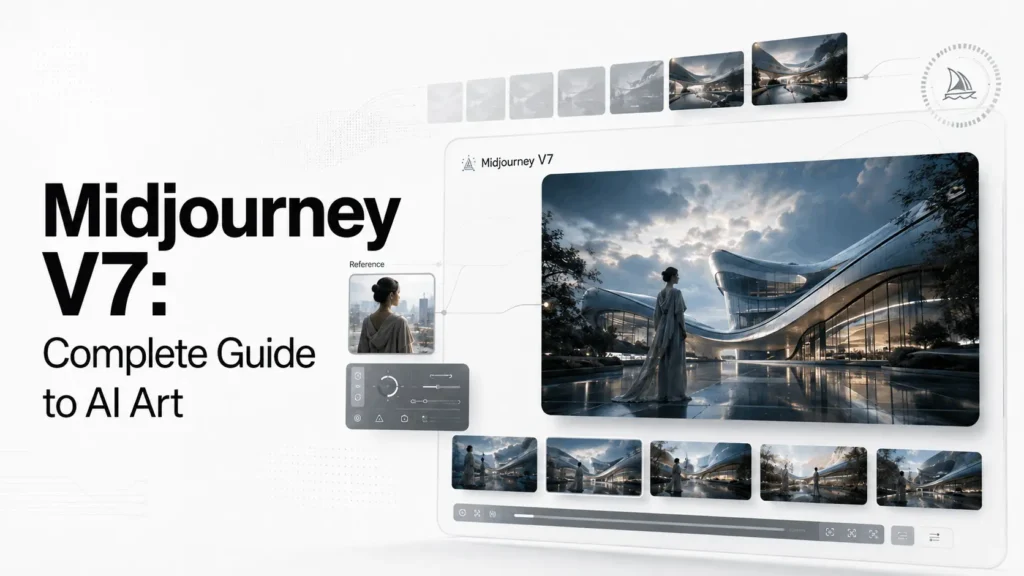
Midjourney V7 was one of the most important model updates in Midjourney’s image-generation history. Released on April 3, 2025, V7 brought stronger prompt understanding, more coherent bodies and objects, richer textures, improved image quality, and new creative tools including Draft Mode and Omni Reference.
Although Midjourney has since moved on to V8.2 as its default model, V7 remains significant because it introduced a new generation of reference-based workflows and personalization features. It also changed how creators approached character consistency, object placement, rapid experimentation, and visual style.
This complete Midjourney V7 guide explains what changed, how V7 works, its most important features, useful parameters, V7 vs V6.1 differences, limitations, pricing, and practical prompting techniques.
Quick Summary
Midjourney V7 introduced major improvements to AI image generation, giving creators better prompt understanding, stronger visual consistency, and more creative control.
- Improved prompt and image understanding
- Better hands, bodies, objects, and textures
- Introduced Omni Reference for characters and objects
- Added Draft Mode for faster experimentation
- Improved Personalization and Style References
- Supports advanced parameters for greater creative control
- V7 remains useful for specific workflows, although V8.2 is now Midjourney’s default model
- Ideal for AI artists, designers, marketers, and content creators looking for more consistent visual results
What Is Midjourney V7?
Midjourney V7 is the seventh major generation of Midjourney’s image model. It was released on April 3, 2025 and became Midjourney’s default model on June 17, 2025. V7 remained the default until June 9, 2026, when Midjourney moved to newer V8 models.
The model was designed around several major improvements:
- Better understanding of text prompts
- More accurate image-prompt interpretation
- Improved coherence in bodies, hands, and objects
- Richer textures and image details
- Improved personalization
- Draft Mode for rapid experimentation
- Omni Reference for characters, objects, vehicles, and creatures
- Updated Style Reference and moodboard systems
The biggest difference is not simply that V7 produces “prettier” images. Its more important improvement is that it gives creators greater control over how an idea is translated into an image.
When Was Midjourney V7 Released?
Midjourney V7 was officially released as an alpha model on April 3, 2025. Midjourney initially launched V7 with Turbo and Relax modes while continuing development on the model and its surrounding tools.
The rollout then progressed through several important updates.
| Milestone | Date | What Changed |
|---|---|---|
| V7 Alpha | April 3, 2025 | Initial V7 model release |
| V7 update | April 30, 2025 | Improved image quality, prompt accuracy, hands and body coherence |
| Omni Reference testing | May 1, 2025 | Introduced a new reference system for characters and objects |
| Faster V7 | May 29, 2025 | V7 generation became approximately 40% faster |
| V7 default | June 17, 2025 | V7 became the default Midjourney model |
| V7 no longer default | June 9, 2026 | Midjourney moved to newer V8 models |
| V8.2 default | July 24, 2026 | V8.2 became the current default model |
Midjourney’s April 30 update specifically improved V7’s image quality, prompt accuracy, hand accuracy, and body coherence. A later May update reduced reported Fast-mode render time from about 36 seconds to 22 seconds and Turbo render time from about 13 seconds to 9 seconds.
What Made Midjourney V7 Different?
Midjourney V7 represented a shift from simply generating visually impressive images toward giving creators more predictable control over image creation.
The model improved three areas in particular: prompt interpretation, visual coherence, and reference control.
1. Better Prompt Understanding
V7 was designed to understand text prompts more precisely than previous generations.
That matters when a prompt contains multiple objects, relationships, actions, or visual constraints.
For example, instead of simply asking for:
a futuristic city
You could describe a more specific scene:
a rainy futuristic Tokyo street at night, a lone cyclist passing beneath translucent holographic signs, wet asphalt reflecting blue and amber light, cinematic street photography
V7 was better suited to preserving the relationships between these individual elements.
This does not mean every prompt will be interpreted perfectly. Midjourney remains an image-generation system rather than a deterministic design application. But V7 substantially improved the connection between what was written and what appeared in the resulting image.
2. Better Coherence
One of V7’s most important improvements was visual coherence.
Midjourney specifically highlighted improvements involving:
- Hands
- Bodies
- Objects
- Textures
- Small details
- Image composition
These improvements are particularly useful for character art, product concepts, editorial illustrations, fashion imagery, and scenes containing several interacting objects.
3. More Control Through References
V7 also introduced Omni Reference, which became one of its defining capabilities.
Instead of relying only on a text description, creators could provide a reference image and ask Midjourney to incorporate the referenced subject into a new scene.
That opened up workflows that were previously difficult to achieve consistently.
What Is Omni Reference in Midjourney V7?
Omni Reference is a V7 feature that lets creators use an image as a reference for a character, object, vehicle, or non-human creature.
Midjourney describes it as a way of effectively telling the model to put a particular subject into a new image.
It replaced the older Character Reference approach used in V6.
A) How Omni Reference Works?
On the Midjourney website, a creator can select V7, add an image to the prompt, and place it in the Omni Reference area.
On Discord, the feature can be used with:
--oref URLThe strength of the reference can be adjusted with the Omni Weight parameter:
--owA simple example could look like:
futuristic astronaut walking through a desert city --v 7 --oref IMAGE_URL --ow 100The exact result depends heavily on the source image, prompt, composition, and reference strength.
B) What Can Omni Reference Be Used For?
Omni Reference is particularly useful for:
- Character concepts
- Product visualization
- Mascots
- Vehicles
- Fantasy creatures
- Fashion characters
- Repeated objects
- Storytelling scenes
- Concept development
It is important to understand that Omni Reference is not the same as copying an image pixel-for-pixel. It is a generative reference system designed to incorporate recognizable characteristics into a new generation.
What Is Draft Mode in Midjourney V7?
Draft Mode is one of the most useful V7 features for experimentation.
It was designed to let creators generate ideas faster while consuming less GPU time. In V7, a Draft prompt generates four images at half the GPU cost of a standard V7 prompt. A selected draft can then be enhanced into a higher-quality generation.
You can activate Draft Mode from the Midjourney website or use:
--draftWhy Draft Mode Matters
Traditional AI image generation can become expensive and time-consuming when you repeatedly change prompts.
Draft Mode changes that workflow.
Instead of trying to create the perfect prompt immediately, you can:
- Write a rough idea.
- Generate a draft.
- Identify what works.
- Modify the concept.
- Generate another draft.
- Enhance the strongest result.
This makes V7 particularly useful for visual brainstorming.
Midjourney also connected Draft Mode with Conversational Mode, allowing users to describe an idea in normal language and have Midjourney help turn it into a prompt. Text and voice interaction are supported in the relevant workflow.
Midjourney V7 Personalization
Personalization was another major part of the V7 experience.
Instead of treating every creator’s preferred visual style the same way, Midjourney can learn from images that a user likes.
The system uses selected images to create a personalization profile that influences future generations.
You can use personalization through the --p parameter or the personalization controls on the Midjourney website.
The practical benefit is simple: if you consistently prefer a particular visual aesthetic, Midjourney can increasingly adapt its results toward that taste.
V7’s personalization profile also remains relevant in newer V8 models. Midjourney states that the Global V7 Personalization Profile works with V8.1 and V8.2, although V8-specific profiles are not compatible with V7.
Midjourney V7 Style References
Style Reference allows you to influence the visual language of a generated image using another image.
It is different from Omni Reference.
Omni Reference: focuses on the identity or appearance of a subject.
Style Reference: focuses on the visual style.
For example, a Style Reference might help transfer characteristics such as:
- Color treatment
- Lighting
- Texture
- Artistic mood
- Composition tendencies
- Overall visual language
V7 supports multiple versions of the Style Reference system. Midjourney currently documents six Style Reference versions for V7, with --sv 6 as the default and --sv 4 representing the older V7 Style Reference implementation.
Midjourney V7 Parameters You Should Know
Parameters are commands placed at the end of a Midjourney prompt to change how an image is generated.
Some of the most useful V7 parameters include:
| Parameter | Purpose |
|---|---|
--v 7 |
Selects Midjourney V7 |
--ar |
Changes aspect ratio |
--s / --stylize |
Controls artistic interpretation |
--q / --quality |
Controls GPU processing time |
--chaos |
Controls variation between results |
--raw |
Reduces Midjourney’s default stylistic influence |
--seed |
Helps with controlled experimentation |
--sref |
Applies a Style Reference |
--oref |
Applies an Omni Reference |
--ow |
Controls Omni Reference strength |
--no |
Specifies elements to avoid |
--tile |
Creates repeating patterns |
--weird |
Introduces unconventional visual variation |
--draft |
Activates V7 Draft Mode |
--exp |
Adjusts experimental image aesthetics |
Midjourney’s current parameter documentation confirms that V7 supports these major controls, although parameter compatibility differs between model generations.
The (--stylize) Parameter
Stylize controls how strongly Midjourney applies its artistic interpretation.
Lower values generally make Midjourney follow the prompt more literally, while higher values give the model more freedom to add artistic character. The current Midjourney documentation describes a range from 0 to 1000 for supported versions, with 100 as the default.
For V7 experimentation, you might test:
--s 50
--s 100
--s 250
Rather than assuming a higher number is automatically better, compare outputs and choose the value that matches your goal.
The (--quality) Parameter
V7 uses --q or --quality to control how much GPU time is spent generating the initial image grid.
V7 supports:
--q 1--q 2--q 4
The default is --q 1 Higher settings use more GPU time. Midjourney also notes that --q 3 is not a V7 setting; if used, it automatically becomes --q 4.
For rapid experimentation, use Draft Mode rather than automatically increasing quality.
How to Write Better Midjourney V7 Prompts?
The best Midjourney V7 prompts are usually specific without becoming unnecessarily complicated.
A useful structure is:
Subject + environment + composition + lighting + visual style + camera/view + important details + parameters
For example:
editorial portrait of a futuristic architect, minimalist concrete studio, soft window light, three-quarter composition, muted blue-gray palette, realistic skin texture, 85mm photography, shallow depth of field --v 7 --ar 4:5 --s 100This gives Midjourney information about:
- Who or what is being created
- Where the subject exists
- How the image should be composed
- What type of lighting to use
- What visual style to target
- What technical aesthetic to emulate
- What aspect ratio is required
Avoid Overloading the Prompt
More words do not automatically produce better images.
A prompt containing dozens of unrelated visual instructions can create conflicts.
Instead, establish the most important visual priorities first.
For example:
Weak:
beautiful amazing futuristic city very detailed cinematic cool neon cyberpunk realistic stunning masterpiece 8k ultra detailedBetter:
dense futuristic city at night, elevated pedestrian streets, rain-covered glass towers, restrained neon signage, cinematic architectural photography, realistic materials and reflectionsThe second prompt communicates a clearer visual idea.
Midjourney V7 vs V6.1
V7 represented a significant step forward from V6.1, particularly in prompt interpretation and coherence.
| Feature | Midjourney V6.1 | Midjourney V7 |
|---|---|---|
| Release | July 30, 2024 | April 3, 2025 |
| Prompt understanding | Strong | Improved |
| Image quality | High | Higher |
| Body coherence | Improved | Further improved |
| Hand coherence | Improved | Further improved |
| Omni Reference | No | Yes |
| Draft Mode | No | Yes |
| Personalization | Supported | Improved |
| Style Reference | Supported | Improved |
| Quality parameter | 0.5, 1, 2 | 1, 2, 4 |
| Character Reference | Supported | Replaced by Omni Reference |
| Default status | Replaced by V7 | Replaced by V8.1/V8.2 |
Midjourney’s own version documentation describes V7 as having more precise text and image prompting, richer textures, and stronger coherence, particularly for bodies, hands, and objects.
The important distinction is that V7 was not simply V6.1 with better image quality. It introduced a different workflow around references, personalization, and fast iteration.
Midjourney V7 vs V8.2: Which One Is Better?
V8.2 is Midjourney’s default image model. It launched on July 24, 2026 and focuses on aesthetics, image quality, creativity, and improved personalization.
That makes V8.2 the natural starting point for most new users.
However, V7 remains useful when you specifically need a V7 workflow or want to work with features built around it.
| Area | V7 | V8.2 |
|---|---|---|
| Current default | No | Yes |
| Release | April 2025 | July 2026 |
| Omni Reference | Yes | No; newer V8 workflows use different reference functionality |
| Draft Mode | Yes | Yes, with different behavior |
| HD generation | No | Yes |
| Personalization | Yes | Improved |
| Style Reference | Yes | Yes |
| Image quality | High | Newer generation |
| Best use | V7-specific workflows and references | General current image generation |
V8.2 also introduces HD image generation, with supported 2048-pixel output in a square format, while V7 does not have the newer native HD generation system.
Therefore, users should not choose V7 simply because it was once the default. The better choice depends on the workflow.
Is Midjourney V7 Still Available?
Midjourney’s version system allows users to select different model versions rather than automatically using only the newest model.
The current default is V8.2, but V7 remains documented as a selectable version and continues to have its own feature compatibility profile.
To select V7, you can use:
--v 7or select the appropriate model from the version settings on the Midjourney website or Discord.
This is particularly useful when you need to reproduce a workflow created specifically around V7.
Midjourney V7 Pricing
Midjourney uses subscription plans rather than a permanently free image-generation tier.
Its current plans are:
| Plan | Monthly Price | Fast GPU Time | Relax Mode |
|---|---|---|---|
| Basic | $10 | 3.3 hours | No |
| Standard | $30 | 15 hours | Unlimited images |
| Pro | $60 | 30 hours | Unlimited images |
| Mega | $120 | 60 hours | Unlimited images |
Annual billing is discounted by 20%, according to Midjourney’s current pricing documentation. Standard, Pro, and Mega plans include unlimited image generation through Relax Mode, while Stealth Mode is available only on Pro and Mega.
Midjourney also states that subscribers receive general commercial usage rights under its terms, with additional requirements for companies generating more than $1 million in annual gross revenue.
Because subscription features and terms can change, check Midjourney’s current plan documentation before purchasing.
What Are the Best Uses for Midjourney V7?
Midjourney V7 works particularly well for creative workflows where visual exploration and consistency matter.
1. AI Art and Illustration
Artists can use V7 to explore different compositions, environments, characters, and visual styles quickly.
2. Marketing and Advertising
Marketing teams can use generated visuals for:
- Campaign concepts
- Moodboards
- Social media artwork
- Product concepts
- Advertising prototypes
- Creative direction
Final commercial assets should still be reviewed carefully for accuracy, trademarks, likeness rights, and other applicable legal considerations.
3. Character Development
Omni Reference makes V7 particularly interesting for character-based projects.
A creator can establish a character reference and place that character into different environments rather than describing the character from scratch every time.
4. Product Visualization
Designers can use object references to explore different environments, lighting setups, and compositions around a product concept.
5. Storytelling and Concept Art
V7 is also useful for visual development before production.
A filmmaker, game designer, or author can explore:
- Characters
- Locations
- Props
- Costumes
- Scenes
- Lighting
- Storyboards
The result is not necessarily the final asset. Often, its greatest value is helping a creator decide what the final visual direction should look like.
What Are the Limitations of Midjourney V7?
V7 improved many of Midjourney’s historical weaknesses, but it did not eliminate them.
a) It Is Not a Deterministic Design Tool
The same prompt can produce different results.
Even with seeds and references, creators should not expect pixel-perfect reproducibility.
b) References Are Not Perfect Copies
Omni Reference can help preserve important visual characteristics, but it does not guarantee exact identity or geometry in every generation.
c) Text Can Still Require Iteration
Midjourney supports text generation in images, particularly when text is placed inside double quotation marks, but exact typography and longer passages can still require refinement. Midjourney recommends shorter text and notes that Raw mode or lower stylization can sometimes help.
d) Editing Was Not Fully V7-Native
One important historical limitation of V7 is that several editing and upscaling functions relied on older models.
Midjourney’s V7 documentation notes that some tools, including editing, retexture, and upscaling workflows, initially fell back to V6 models.
This is one reason newer model generations can provide a more unified workflow.
Midjourney V7 Tips for Better Results
If you are still using V7, these practical techniques can improve your workflow.
1. Start With Draft Mode
Use Draft Mode to explore composition and ideas quickly.
Once you find a promising direction, enhance the result instead of spending GPU time perfecting the first prompt.
2. Use References Strategically
Do not use Omni Reference and Style Reference interchangeably.
Use Omni Reference when the subject itself matters.
Use Style Reference when the visual language matters.
3. Control Stylization
Start around the default stylization level and adjust from there.
If Midjourney is becoming too artistic and ignoring important details, lower --s.
If the result feels too literal, increase it.
4. Use Aspect Ratios Early
Decide where the image will be used before generating it.
For example:
--ar 1:1for square social graphics--ar 4:5for portrait social posts--ar 16:9for banners and video thumbnails--ar 9:16for vertical content
5. Iterate Instead of Writing Huge Prompts
Generate, inspect, change one or two variables, and generate again.
This makes it easier to understand what actually improved the image.
6. Use Seeds for Testing
Seeds are useful when you want to compare prompt changes under similar starting conditions.
However, Midjourney explicitly cautions that seeds should not be treated as a way to save a particular character or visual style.
Final Verdict: Is Midjourney V7 Still Worth Understanding?
Midjourney V7 remains an important milestone in AI image generation even though it is no longer the company’s newest default model. Its importance comes from more than image quality. V7 introduced a more sophisticated creative workflow built around better prompt interpretation, personalization, Draft Mode, Style References, and Omni Reference.
For someone learning Midjourney’s evolution, V7 is the model that connects the older V6 generation with the newer V8 era.
If your goal is simply to create the best images using Midjourney today, V8.2 is the logical starting point because it is the current default and adds newer capabilities. But if you are working with an existing V7 project, need Omni Reference, or want to reproduce a V7-specific visual workflow, understanding Midjourney V7 is still extremely valuable.
Frequently Asked Questions (FAQs)
1. Is Midjourney V7 better than V6.1?
For many workflows, yes. V7 improved prompt understanding, image quality, and coherence while adding Draft Mode and Omni Reference. However, some creators may still prefer V6.1 for particular styles or workflows.
2. Is Midjourney V7 free?
No. Midjourney is subscription-based. Current plans begin at $10 per month, although pricing and available features can change.
3. What is Omni Reference in Midjourney V7?
Omni Reference lets you provide an image reference for a character, object, vehicle, or creature and incorporate that subject into a new generation. It uses --oref on Discord and can be controlled with --ow.
4. What is Draft Mode in Midjourney V7?
Draft Mode is a faster, lower-GPU-cost generation mode designed for experimentation. In V7, a Draft prompt generates four images at half the GPU cost of a standard V7 prompt.
5. Is V7 still the latest Midjourney model?
No. As of August 2026, Midjourney V8.2 is the current default image model. V7 was the default from June 17, 2025 until June 9, 2026.
6. Can I still use Midjourney V7?
V7 remains available as a selectable model version, allowing creators to use V7-specific workflows and features. You can explicitly select it using --v 7.
Also Read –
Mastering Midjourney Style Reference: How to Control Any Aesthetic Like a Pro?
How to Use Reference Photos in MidJourney: A Step-by-Step Guide (2026)