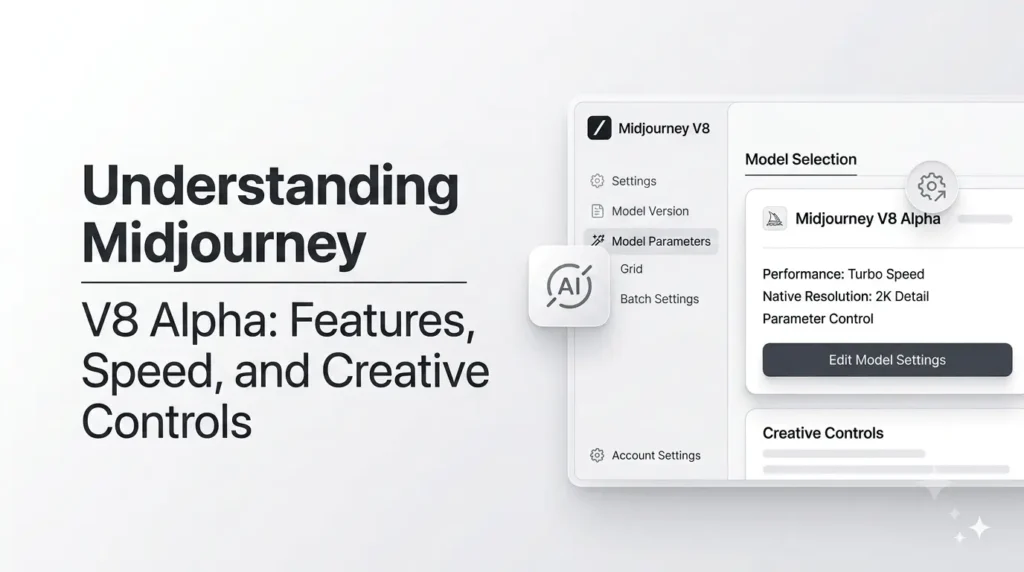
When Midjourney V8 first launched in March 2026, it was introduced as an experimental model with better image comprehension, faster instruction following, improved coherence, stronger text rendering, personalization, and significantly faster image generation. Midjourney claimed V8 could create images around five times faster than previous workflows.
However, V8 Alpha is no longer the current model. V8.0 Alpha was the early-access release, followed by V8.1 and V8.2. As of August 20, 2026, Midjourney’s official documentation identifies V8.2 as the default model. Still, V8 Alpha remains important because it introduced or tested features such as faster generation, improved prompt adherence, HD rendering, moodboards, style references, Raw mode, and other creative controls that shaped the later V8 generation.
What Was Midjourney V8 Alpha and Why Did It Matter?
Midjourney versions represent different generations of its AI image models, with each interpreting prompts and producing visuals differently. Think of them like different camera generations, the photographer and subject may stay the same, but the technology can dramatically change the result.
Why was V8 Alpha different?
It was not a finished product but a public testing phase where Midjourney encouraged users to experiment and provide feedback.
Did V8 Alpha require a different prompting approach?
Yes. Prompts that worked well in V7 might not produce the same results in V8. Users were encouraged to try longer, more precise prompts, along with personalization, style references, moodboards, and stronger stylization.
What was the goal?
Beyond better instruction following, Midjourney aimed to understand individual users’ visual preferences and deliver more personalized creative results.
The March 2026 Alpha Launch
Version 8 Alpha was released on 17 March 2026 and will run through the Midjourney Alpha environment. The new release introduced a model that Midjourney claimed was better at following precise directions and creating more detailed and coherent images. The rendering of text was improved too, particularly when the words you want to use were placed within quotation marks. The improvements were aimed at addressing a variety of issues with AI image creation. Anyone who has spent any time making images using AI is familiar with the experience when you describe an image with ten essential elements; however, the final image obliviously ignores the three, makes changes to two more, and then creates things you’ve never asked for.
V8 tried to close that distance between instructions and their interpretation. It also came with support for a variety of aspect ratios as well as creative parameters like –chaos, –weird, –exp, and– raw. The backwards compatibility of V7 personalization profiles, as well as moodboards and style references, let existing users explore without having to rebuild their entire workflow for creative work starting from the ground up. However, Midjourney made it clear that this was an early version of the software. Performance, features, and even the prompting style may be altered as Midjourney gathered feedback.
How V8 Changed the Creative Workflow?
The biggest change that was observed was speed. Speedier generation alters the way people think due to the number of ideas they will test. Imagine drawing using a pencil that takes you two minutes to draw each line. You’d probably take your time before drawing every stroke. Imagine that each sketch appears in a flash. In a flash, the process of experimentation becomes less expensive. You can try 10 compositions instead of just one, test different lighting conditions, explore a variety of aesthetics, and keep trying without worrying that each attempt has taken up precious time.
Midjourney’s subsequent V8.1 release proved how rapidly the philosophy changed. Midjourney declared that the V8.1’s standard V8.1 generation was four to five times faster than previous versions. Meanwhile, the official announcement made after V8.1 was made the standard stated that standard images would be ready within one second, while HD images took about 12 minutes. These figures demonstrate the reasons why the V8 generation was crucial in that speed wasn’t just a technical term. It became a part of the overall experience.
The Biggest Features Introduced With V8
V8 Alpha combined several improvements instead of relying solely on one prominent feature. Improved prompt understanding was coupled with stronger coherence, better personalization, text rendering styles, moodboards, style references, as well as experimental controls and various resolutions. This resulted in a more creative toolkit. Anyone who is new to the field could write an easy description and get an impressive visual output, while skilled designers could add controls to move the model towards the desired outcome.
This distinction is crucial because AI image generation serves two different requirements. Sometimes, you would like the AI to be awestruck by you. Sometimes, you’d prefer it to behave as an expert assistant. Midjourney’s latest generation was designed to offer controls for both of these approaches. It is possible to increase the amount of weirdness and variety while searching for new concepts or by using references, Raw mode-specific prompting, and repeatable seeds to control the direction you want to go in.
Better Prompt Understanding and Image Coherence
Fast adherence is among the most significant improvements to any image model. Beautiful images are not necessarily great images if they don’t follow the requirements. Imagine you want a “red vintage convertible parked beside a yellow hotel, viewed from above during a rainy night.” If the AI provides you with an amazing blue car parked next to a modern building in the evening, the rendering quality could be amazing; however, the speed of execution isn’t great. Version 8 Alpha is focused on improving the connection between what the customer requested and what the model could actually produce.
Midjourney also explained V8 as creating more detailed and coherent images. The importance of coherence is especially important in scenes with multiple people, items, environmental details, or even interactions. A well-constructed model should be able to comprehend not just what objects exist, but also how they connect. It’s similar to the distinction between a person who has the list of ingredients and a person who understands the recipe. The second person can comprehend the connections between the elements, and this is the place where superior AI interpretation is valuable.
Why Longer, More Specific Prompts Became More Useful?
One of Midjourney’s suggestions throughout its V8 Alpha period was to try out more detailed and longer prompts. It didn’t necessarily mean that each prompt had to be a long paragraph filled with excessive adjectives. The objective was to provide specificity. The prompt is useful and gives the model valuable information about the object, composition, the environment, lighting, materials, perspective of the camera, mood, and visual style when these particulars matter.
For instance, “a businessman in an office” creates a lot of space for interpretation. An instruction that is more specific, like “editorial photograph of a tired entrepreneur sitting alone at a dark walnut desk, rainy city visible through floor-to-ceiling windows, warm desk lamp, cinematic side lighting, shallow depth of field” offers the model a more creative map. The improved processing capabilities of V8 to provide precise instructions have made this prompting more effective. However, it was important not to make prompts appear like random keywords. Particularity is best when details are consistent with a visual image.
Improved Text Rendering
Text has always been an issue for models that generate images. AI systems could produce beautiful posters, books, signs, book covers, and packaging, but they often resulted in nonsensical writing. V8 Alpha provided improved rendering of text, and Midjourney continued to improve this feature throughout the V8 generation. The guidance for the official version recommends putting the desired text in double quotes, especially for short phrases or words. For instance, a call-to-action asking for a neon with “OPEN” is more specific than simply saying that the sign must read”OPEN.
This does not mean that the generation of text suddenly became comparable to professional software for typography. If precise spelling layout, branding or typography is required the user should examine the results with care. Midjourney suggests techniques like Raw mode or lower stylization if greater control of text is needed along with its edit tools could assist in resolving smaller problems. The main lesson to take away is: V8 improved the odds; however, crucial commercial designs should be subject to a quality-control procedure.
Personalization, Style References, and Moodboards
One of the more intriguing features of V8 was the focus on the aesthetics of the person using it rather than being a generic standard. Personalization lets Midjourney discover aesthetic preferences by utilizing a personalized profile. Style References, also referred to as SREFs, guide the appearance of images using illustrations of the same type. Moodboards offer another method for influencing the general design direction. They are described as various levels of artistic direction.
Imagine appointing an illustrator. Describe the scene and ensure their style and natural aesthetic match your expectations. It is also possible to provide them with examples of the mood as well as the colors, textures, and even the language you wish to convey. The use of moodboards and style references push AI development closer to this second option. Midjourney specifically highlighted the ability of V8 to comprehend aesthetics by personalizing, as well as using SREFs and moodboards. Later V8 releases continued to improve stability and compatibility with these systems.
Midjourney V8 Speed Explained
The expression “five times faster” sounds extravagant; however, acceleration in AI generation requires context. Generation times can be influenced by Resolution as well as quality settings, servers, conditions on the server, and reference systems, as well as the particular mode that is being utilized. The initial V8 Alpha announcement said image generation was about 5-fold faster than it was before; however, some upgraded settings at first incurred extra time and GPU expenses. For instance, the original release said it was HD, –q 4, and certain style-reference jobs and moodboard jobs would run 4-fold slower and cost more than normal jobs at the time.
This is a good reminder that there isn’t an exact ” Midjourney speed.” A speedy standard draft isn’t the same as a high-resolution, extremely stylized, reference-heavy generation. The most effective way to look at the performance of a product is to consider it as a triangular structure: time, price, and quality. A strong move towards one of the corners can have an impact on the others. Midjourney was adjusting the balance as V8 grew.
The Original 5x Speed Claim
The initial V8 Alpha release made speed one of its main selling factors. This was especially beneficial for those working on multiple variations. In traditional software that allows creativity iteration is a normal thing. Photographers can take many photos. Graphic designers design several design concepts. Filmmakers take multiple shots. AI image generation will work in the same manner, and faster rendering makes this workflow feasible.
Instead of waiting too long between generations to lose the creative momentum, users can swiftly experiment with different versions of a concept. This is especially useful for marketers, concept artists, as well as web designers, content creators, and anyone else who uses Midjourney to do visual brainstorming. The quicker you can grasp an idea, then reject it, alter it and try the next one the more natural your process of creating is.
Standard Versus HD Generation
V8 introduced the native HD mode that could render images in the Resolution of 2K. The first Alpha release also included an option called –q four for those who wanted to add coherence. The options offered creators greater control over whether they prefer speed or better quality output. In the following versions, V8.1 improved this balance substantially. Midjourney said that HD improved speed and cost compared to the previous Alpha stage, and standard-resolution generation also accelerated.
It is crucial to adapt the generation style to the current stage of your process. If you are brainstorming, a fast traditional or draft-style generation is appropriate since you are looking for ideas. If you find an intriguing idea, changing into HD or using a higher quality processing is more sensible. Similar to the process of making thumbnail sketches prior to painting the final canvas. There isn’t a need for the greatest detail for each idea, but you will need enough information to make a decision on which idea requires additional resources.
How V8.1 Improved the Performance
The transition between V8.0 Alpha to V8.1 revealed how quickly Midjourney developed the system. Midjourney declared V8.1 as the model with the highest performance at the moment, with standard jobs rendering around four to five times more quickly than previous versions. The company also said that standard resolution images would be available in about four seconds, and HD images took around 12 seconds following the time that V8.1 was adopted as the standard model.
V8.1 also included Draft Mode, which produced 24 images with lower Resolution in one job, and let users choose promising images to render in full quality. Based on Midjourney, Draft Mode used just half the Fast Hours as a standard V8.1 SD job, despite generating 24 images. This is an excellent example of the larger V8 concept: Explore widely first, and then invest your time and resources into the best concepts.
Creative Controls That Give Users More Direction
The distinction between simple AI image creation and professional work is often due to the control. Generating something attractive is simple. Making something appealing consistently in a specific visual system and based on an outline is much more difficult. Midjourney offers a variety of options and controls that permit users to control how artistic, conservative, bizarre, or real-time the final product is.
The most efficient controls aren’t always those that create the most radical modifications. Sometimes, the most effective control is one that allows you to make tiny adjustments that don’t destroy everything you like already. The V8 ecosystem had tools for controlling stylization the quality, variety, and weirdness aspects ratio, references and repeatability, which resulted in the most flexible artistic environment.
Raw Mode and Stylization
Raw mode is especially helpful in situations where you need Midjourney to make use of fewer aesthetics; in the officially released V8 Alpha announcement, Raw mode was specifically recommended for photos or a simpler and controlled style. Also, if you’re feeling like the standard Midjourney is like a spirited art director, constantly bringing its own unique flavor, Raw mode may aid in taking back a bit of control of the wheel.
Stylization operates from different directions. It determines how much Midjourney’s aesthetic preferences affect the output. Higher levels of stylization can result in dramatic and visually exciting outcomes, while lower values allow for an accurate understanding of the question. Neither approach is necessarily better. If you’re designing an image for a campaign that is surreal and you want to stylize it more, a stronger approach could be just what you require. If you’re trying to recreate an idea for a product with particular specifications, a focused approach could be better.
Chaos, Weirdness, and Experimental Control
The chaos parameter often called variety, can increase the variety of results generated. Higher values can be beneficial for searches that are broad and don’t want four similar results. Its “weird” parameter can shift the output into more unusual and unpredictably visual terrain. These controls are fantastic illustrations of the way that Midjourney could be used as a precise tool for production and an engine for exploration and creativity.
A productive workflow could begin with greater diversity or even a little weirdness while you are brainstorming. When you have found something interesting, you can cut down on chaos and concentrate on refinement. Imagine it as a journey through an extensive forest before you choose an option. At first, you’ll be looking for new routes. Later on, you’ll want to put down your wanderings and focus on your destination.
Quality, HD, and Resolution Options
Resolution and quality settings must be selected based on the purpose instead of automatically maximizing. Social media concepts such as mood exploration in the early stages or rough layout may not necessarily require a high-resolution rendering. High-quality production becomes more valuable when the image is nearing its intended use. V8’s HD capability, as well as the subsequent V8.1 enhancements made it easier to transition between fast testing and more high-resolution output.
The latest V8 generation continues to evolve beyond the initial Alpha. Midjourney’s documentation lists V8.2 as its default model, and the site offers the standard and HD options, as well as innovative settings. So, anyone who is looking into V8 Alpha today should avoid believing that the original performance restrictions or interface are not in use today. Alpha was the basis for the product that the company was built on; it has continued to evolve.
Seeds and Repeatable Experiments
Seeds are used to create images. seed serves as a starting point to generate images. Midjourney defines seeds as being useful for experimentation and testing, and its V8.X documentation states that seeds are 100% similar across V8.X versions. This is a great feature when you’re looking to modify the content of a prompt while keeping the initial conditions fairly consistent.
Imagine, for instance, testing your character’s appearance in 3 different settings. If each generation alters the character’s composition, appearance, and lighting at the same time, it is difficult to discern which trigger change led to the change. Seeds can help make experiments more controlled. However, seeds shouldn’t be considered an indefinite storage of style or character. Midjourney specifically warns that they should be used to experiment rather than to preserve a complete visual identity.
How to Write Better Prompts for the V8 Generation?
The most effective prompt isn’t necessarily the one with the longest duration. It’s the prompt that provides the correct information in a clear manner. A well-constructed structure typically starts with the theme, then the context or environment, and then the important information about lighting, composition, perspective, materials, mood, or the style. Include parameters only if they have a clearly defined purpose.
Instead of writing a long list of disjointed keywords, construct the request around a single visual sentence: “Luxury skincare bottle standing on wet black stone, soft morning window light, minimal editorial product photography, reflections, shallow depth of field.” Then you can decide whether you require an aspect ratio or stylization, raw mode or style reference, or a different control. This method makes the creative instructions easy to understand rather than covering the core idea beneath unneeded modifications.
A Practical Prompt Structure
A simple structure may be as simple as:
Subject and important characteristics + composition + environmental lighting, visual medium, or style and specific parameters
It is not necessary to use every component each time. If the composition isn’t important, you can leave it as is. If the style of your design is crucial, consider using the moodboard or style reference instead of trying to explain every aspect of visual design by using text. Midjourney’s documentation on image prompts states how images can be used to influence composition, content, and colors. References to style, Omni Reference, and moodboards are additional ways to direct the results.
The most effective method is to use an iterative approach. Inspect, generate, and then identify the problem, then alter the prompt in response to the findings. Don’t randomly add ten adjectives following each unsuccessful result. If the composition isn’t right, then address the composition. If the design is too artistic, decrease stylization or employ Raw if the output is not consistent; look into references or personalization. Or, an automated seed. Think of prompting as communication instead of casting spells.
Common Mistakes to Avoid
One mistake that is common is thinking that more keywords mean greater control. Contradictory instructions could confuse the model. Requesting the model for “minimalist, extremely detailed, simple, chaotic, photorealistic watercolor illustration” might result in an interesting result, but it will not give a consistent creative direction. Another error is changing each variable in a single step. If you have to rewrite the entire prompt each cycle, you won’t know what you can do to improve the outcome.
Users must also be wary of relying solely on one particular generation. Midjourney is a creative and probabilistic exploration that is often enhanced by comparability. Make alternatives, employ variations, and improve the best direction. Midjourney’s modification tools offer the ability to mix, remix, and upscale, as well as an Editor that blends tools like Pan Out, Zoom Out, and Vary Region to give you more control.
Master List of Midjourney Prompt Parameters
As the description of the text defines an image, parameters act as precise commands that regulate the structure of images and style, as well as variation and rendering settings.
In Midjourney, you can add parameters at the end of your prompt by using double hyphens ( –) followed by the name of the parameter as well as an amount.
Core Framing & Control Parameters
- –aspect or –ar: It sets the aspect ratio of the image. Examples: –ar 16:9 (widescreen), –ar 9:16 (vertical/stories), –ar 4:5 (Instagram post). Default is 1:1.
- stylize and –s >0-1000>: It controls how much Midjourney adheres to its default style. Lower values take the prompt in literal terms, and higher values will make the result more refined and artistic. The default is 100.
- raw: It bypasses Midjourney’s default aesthetic preference to create a more natural and unfiltered image.
- –no: It helps negative prompting flag. Removes features or objects that are not wanted (e.g., –no trees, text, blur ).
Reference & Consistency Parameters
- –sref (Style Reference): The aesthetic style, color scheme, or artistic medium of an image reference or code of style directly in the instruction.
- –sw 0-1000> (Style weight): Sets the intensity of the –sref effect. Default is 100.
- –cref (Character Reference) / –oref (Omni Reference): Keeps the character’s identity (face, hair, and features) or a specific form of object across various scenarios and prompts.
- –cw 0-100> (Character weight): Controls how specifically hair/face is copied versus how well clothes can be copied (100 copies face, hair, and clothes; 0 is focused mostly on facial features).
- or –profile as well as the profile: Profiles that allow users to apply personal profile or moodboard preferences to the next generation.
Variation & Experimentation Parameters
- –chaos 0-100> (or –c 0- 100): It increases the visual variety within the initial four-grid structure results. Higher values can result in surprising and unique compositions.
- –weird (0-3000) and –w 0-3000>: It introduces bizarre and offbeat characteristics in the output.
- –seed: It corrects the random visual start noise. The same trigger and seed number produce similar images.
- tile: It creates images that tile seamlessly, ideal for texture wallpapers, fabrics, and patterns.
- –version or –v: Its system defaults are set to select a particular type of engine (e.g., –v 8 or –v 8.2 ).
Midjourney V7. V8 Alpha – Complete Features and Engine Breakdown
Although Midjourney V7 established a standard in mood and composition, the transition into V8 Alpha shifts the model from being in the position of an interpretive model to an executor model. While V7 is able to fill in the artistic details in a way that is automatic, V8 focuses on executing complex images, camera angles, and text components.
| Feature / Metric | Midjourney V7 | Midjourney V8 (Alpha) |
|---|---|---|
| Prompt Philosophy | Interpretive: Enhances vague prompts with atmospheric lighting, rich palettes, and artistic flare. | Literal/Execution: Strict prompt adherence; relies on technical prompts (e.g., specific lens, camera angle). |
| Generation Speed | Standard generation pipeline. | 4–5x Faster: Renders rapid preview grids. |
| Native Resolution | Requires step-up upscaling routines to reach higher resolution. | Native 2K Output: Introduces direct 2K rendering via --hd without separate upscalers. |
| Text Generation | Inconsistent rendering of complex text strings inside images. | Upgraded Legibility: Much higher success rate when text is enclosed in double quotes. |
| Human Anatomy | Strong, but prone to minor artifacting on complex hand poses or multi-person scenes. | Refined Coherence: Noticeable improvements in hands, proportions, and character references (--cref). |
| Default Aesthetic | Warm, atmospheric, painterly, and editorial. | Neutral-to-cool, highly photographic, crisp, and studio-lit. |
The main takeaway the most important thing to remember is V8 Alpha is to be seen as the starting point of the V8 change, not the ultimate destination. If you’re using Midjourney currently, you are probably working with a more mature version of the concepts test during Alpha.
Who Should Use Midjourney’s V8 Generation Models?
Midjourney V8 generation Midjourney V8 generation is especially beneficial for artists who require an equilibrium between creative exploration and control. Digital marketers can make use of it to design ideas for campaigns as well as visual guidelines. Content creators can quickly look at thumbnails, editorial images, social graphics, as well as story ideas. Designers can make use of it to aid in a creative process, while artists can explore composition, atmosphere, and other unfamiliar visual patterns.
It’s also useful for those who were previously annoyed by AI models that did not follow the precise instructions. Improved prompt adherence does not necessarily mean flawless obedience, but it was specifically developed to improve this aspect. The combination of style references, personalization moodboards, moodboard seeds, seeding, as well as image prompting and editing tools means that users don’t have to limit themselves to just typing a word and trying to get the best results. They can design an even more planned process using the strengths of the model.
Conclusion
Midjourney V8 Alpha was a pivotal moment because it focused on three aspects that are crucial in AI innovation: understanding, speed, as well as control. The first Alpha promised more precise prompts, more consistent images, better text rendering, more personalization, and around five times faster generation. It also urged creators to play around with control options like Raw mode stylization, chaos oddity, HD rendering, quality settings, style references and mood boards.
Today, the initial V8.0 Alpha is not available anymore, and Midjourney has moved from V8.1 to V8.2 which is currently standard. This doesn’t mean that V8.2 is obsolete. It explains the basis of the latest generation. It illustrates how Midjourney has evolved from a model that was primarily awe-inspiring with breathtaking surprises to one that has a greater emphasis on creativity. The most effective strategy isn’t to be able to remember every single parameter. Start with a clear concept and only add the control that will solve a particular issue, then experiment rapidly to compare results and improve the most effective ideas. This is when the true potential of the generation V8 is evident.
Frequently Asked Questions About Midjourney V8 Alpha.
1. Is Midjourney V8 Alpha Still Available?
No. Midjourney’s official version document says the following: V8.0 was an early-access Alpha version that was launched on March 17th, 2026. It was accessible via Alpha’s website up to July 24, 2026. Images created with V8.0 will remain in the gallery of users on their website, but the model is no longer available for the next generation. In August 2026, Midjourney shows V8.2 as the standard model.
2. How Much Faster Was V8?
The initial V8 Alpha announcement stated that the generation of images was around five times quicker than the previous version. The performance continued to improve and, in a later report, Midjourney stated V8.1 standard jobs as being around four to four times faster than the earlier versions. Following the time that V8.1 was made the default version, Midjourney stated that standard images could be displayed in about four seconds, and HD images took around 12 seconds, based on the workflow and environment.
3. What Was Raw Mode Best For?
Raw mode is recommended for those who want the simplest, more photographically controlled output that is less influenced by Midjourney’s standard aesthetic interpretation. Raw mode is particularly useful when the model seems to be ad hoc in its styling or when details in the prompt need to be taken more seriously. Raw does not necessarily mean superior; however, work with a high degree of stylization might benefit from allowing the Midjourney aesthetic system to influence the work more effectively.
4. Did V8 Improve Text in Images?
Yes. Midjourney specifically emphasized enhanced text rendering capabilities in V8 Alpha and has continued to develop text capabilities for later V8 models. For the best outcomes, Midjourney recommends placing the exact words or phrases within double quotation marks and ensuring that text is kept small. If precise typography is essential however, the user should examine the output and utilize editing tools when needed.
5. What Replaced V8 Alpha?
V8.0 Alpha was followed by V8.1, which included further improvements in speeds, HD workflow, image prompts, image weights and other features. Midjourney launched V8.2, which was the default version as of June 24, 2026. It is focused specifically on image aesthetics and quality and a more personalization-focused. If you’re making new images, V8.2 is the most version, not the initial V8 Alpha.
Also Read –
Midjourney V8 Model: Faster AI Image Generation
How to Get Midjourney V6: Step-by-Step Guide to Access (2025)