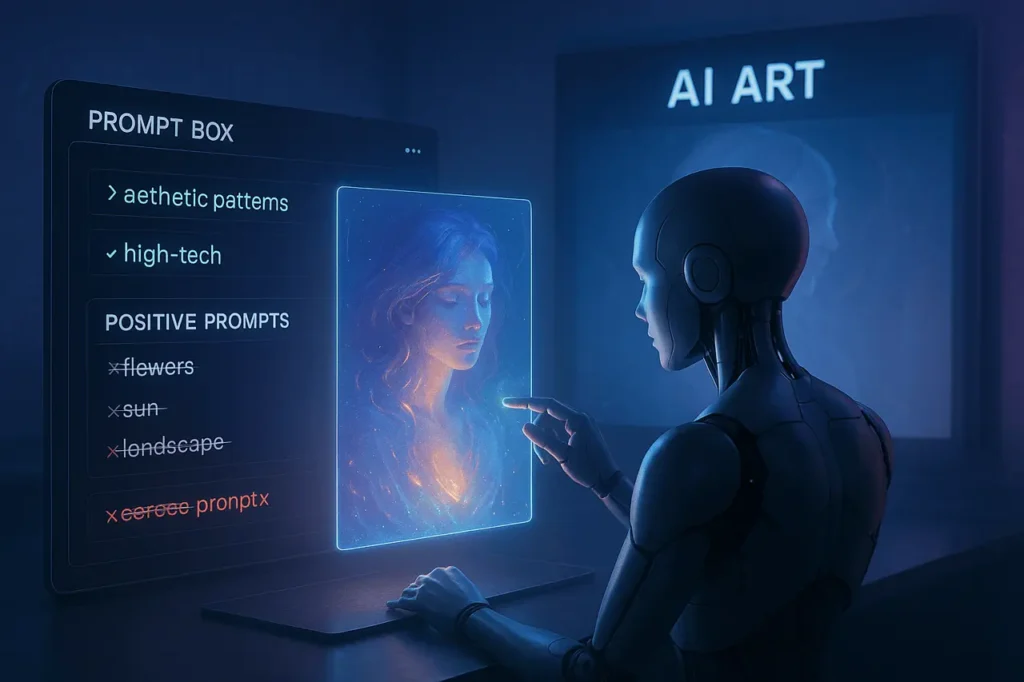
If you’re an experienced AI artist or are just beginning to learn about the creation of images, utilising negative suggestions in Midjourney will help you fine-tune your output, eliminate undesirable elements, and get more control over your artistic process.
The article below will discuss the types of negative prompts and how to incorporate them (step-by-step), the Best methods, and conclude with a comprehensive FAQ.
What is Midjourney?
Midjourney is an advanced AI-powered image-generation platform which transforms text prompts into digital images. It works primarily via Discord, which allows users to compose descriptive phrases that can be used to create illustrations, artwork products, concepts for product designs, and many more. All powered by its own artificial intelligence models that are generative.
In the end, Midjourney helps users turn words into images, which makes it an extremely popular tool for marketers, designers and other creative professionals.
What Are Negative Prompts?
When you use Midjourney, you normally give it a prompt describing what you want (for example: “vibrant forest at sunrise, cinematic lighting, ultra-realistic”). A negative prompt lets you specify what you do not want in the image — unwanted objects, styles, colours, textures, or other features.
For example:
sunset beach --no people, trash Here, you’re asking for a sunset beach without people or trash. This gives you more precision and control over the result.
Why is this useful? Because AI models like Midjourney often add elements you didn’t ask for (or style‐choices you didn’t expect). Specifying “don’t include X” helps reduce that trial-and-error.
How to Add Negative Prompts in Midjourney
There are two primary ways to add negative prompts in Midjourney:
- Use the
--noparameter - Use negative weights via multi-prompt syntax
::
1. Using the --no Parameter
This is the simplest method. You append --no followed by a list of items you want excluded from the image.
Syntax:
/imagine prompt: [your positive prompt] --no [item1], [item2], [item3]Examples:
forest landscape, golden light --no animals→ generates a forest without animals.modern interior, minimal design --no clutter, no plants→ interior design without clutter or plants.
Notes:
- Items after
--noare separated by commas. - You can exclude objects, colours, style-elements, backgrounds, etc.
- It doesn’t always guarantee 100 % success, but it significantly improves odds.
2. Using Negative Prompt Weights
For more fine-grained control, you can adjust prompt “weights” using the :: syntax. This is especially useful when you want to de-emphasise rather than completely exclude an element.
Syntax:
subject::weight1 unwanted_element::-weight2Here:
weight1is a positive number (greater than 0) emphasising part of the prompt-weight2is a negative number de-emphasising the unwanted part
Example:
digital painting of a warrior::1.2 futuristic armour::1 dramatic lighting::1 futuristic city::-0.8Here we are emphasising the subject and style, while de-emphasising the “futuristic city” element.
Important rules:
- The sum of all weights must be positive.
- Negative weights effectively tell Midjourney to reduce or avoid that element.
- It can be more complex and less intuitive than
--no, so start simple.
Which Method to Use When?
- Use
--nowhen you know exactly what you want to remove and it’s relatively simple. - Use negative weights when you want to tune the prominence of several elements (some you want strongly, some you want weakly).
- Many users recommend: start with positive prompting, then add negative only if needed.
Best Practices & Tips for Using Negative Prompts
Here are actionable tips to get better results when using negative prompts in Midjourney:
a) Start with a strong positive prompt first
Define clearly what you want before focusing on what you don’t. This helps the model prioritise your vision.
b) Start with one negative modifier
Don’t overload your prompt with lots of “–no” items immediately. Begin with the most important exclusion, then iterate.
c) Use synonyms or broader terms if necessary
If Midjourney keeps generating a variant of something you excluded, broaden your negative list.
Example: if --no hat still produces caps/headbands: try --no hat, cap, headband.
d) Avoid conflicting instructions
Don’t ask for incompatible things. For example: “robot –no metal” is contradictory since robots typically contain metal. Such conflict can confuse the model.
e) Be aware that negative prompts aren’t perfect
Midjourney (and other AI text-to-image tools) is not flawless. Some unwanted elements may still appear; you may need to regenerate or adjust your prompt.
f) Combine with other parameters (optional)
You can combine negative prompts with parameters such as --ar (aspect ratio), --v (version), --style, etc. Just make sure the command stays readable.
g) Use “Vary Region” or post-processing if it fails
If you’ve already got an image you like, but it has a small unwanted object, you can use Midjourney’s “Vary Region” feature rather than re-roll entirely.
Example Prompts (with Negative Usage)
Here are some concrete examples:
luxury sports car, studio lighting --no people, no background reflectionsanime girl portrait, pastel colours, softly lit --no text, no watermarkancient temple ruins in jungle ::1.2 overgrown vines ::0.8 vines::-0.5 --no modern structuresminimalist product photo, white background --no shadows, no extra props
By using --no or negative weights, you guide Midjourney to exclude unwanted elements and hone in on your vision.
Final Thoughts
Negative prompts on Midjourney can be an effective tool when utilized carefully. They allow you to remove undesirable elements and adjust your images in a way that prompts positive messages that alone aren’t able to do. By combining a clear, positive prompt with the use of selective no and negative weights, you’ll get more precise results and fewer unwelcome surprises and eventually, more effective outcomes.
Be sure to start by making it simple, repeat the process, avoid contradicting instructions, and utilize negative prompts only when necessary (after having defined what you want). As you get better at it, you’ll be able to master the art of leading Midjourney closer to your artistic vision.
FAQs
Here are some frequently asked questions about negative prompts in Midjourney:
1. Does --no guarantee the element will not appear?
No. It significantly reduces the chance, but AI image generation isn’t fully deterministic. Some unwanted items may still sneak in, especially if they’re strongly associated with the rest of the prompt. You may need to iterate.
2. Is there a limit to how many items I can exclude with --no?
While you can list multiple items (comma-separated), adding too many exclusions can make the prompt confusing and reduce image quality. Better to start with the key unwanted items and add more only if needed.
3. What’s the difference between --no and negative weights?
--no is a more direct exclusion command (remove or strongly reduce an element). Negative weights via ::–0.x provides more fine-control over how much an element should be de-emphasised rather than outright excluded.
4. Can I mix both methods in one prompt?
Yes. You can use --no for exclusions and weights for emphasising/de-emphasising other parts. Just keep your syntax correct.
5. What happens if the sum of weights in a negative-weight prompt is zero or negative?
Midjourney will return an error. The sum of weights must be positive.
6. Are negative prompts supported in all versions of Midjourney?
Yes, but the behaviour can vary slightly between different model versions (v4, v5, v6 etc). Always refer to the version’s documentation.
7. Do negative prompts slow down generation or increase cost?
No, they use the same generation mechanism. They just alter the prompt interpretation. Generation time or cost remains normal.
8. Are there elements you especially should exclude?
Common exclusions include unwanted text (“–no text”), watermarks (“–no watermark”), unwanted objects (e.g., “–no people” if you want empty scene), unwanted colours (“–no red”), unwanted styles (“–no 3d render”) etc.
9. What if Midjourney still inserts the unwanted object/style after using negative prompts?
Try the following:
- Use a broader term (e.g., “–no headgear” instead of just “–no hat”).
- Use negative weight rather than just
--no. - Re-write your positive part to avoid prompting the unwanted object indirectly.
- Use “Vary Region” to remove it from an existing image.
10. Will using too many negative prompts degrade image quality?
Potentially yes. Over-constraining the model can reduce the freedom the AI has to compose the image naturally, which may impact style or detail quality. As one user noted:
“they’re so strangely effective and yet ineffective … you most likely change the whole look and feel of the output.”