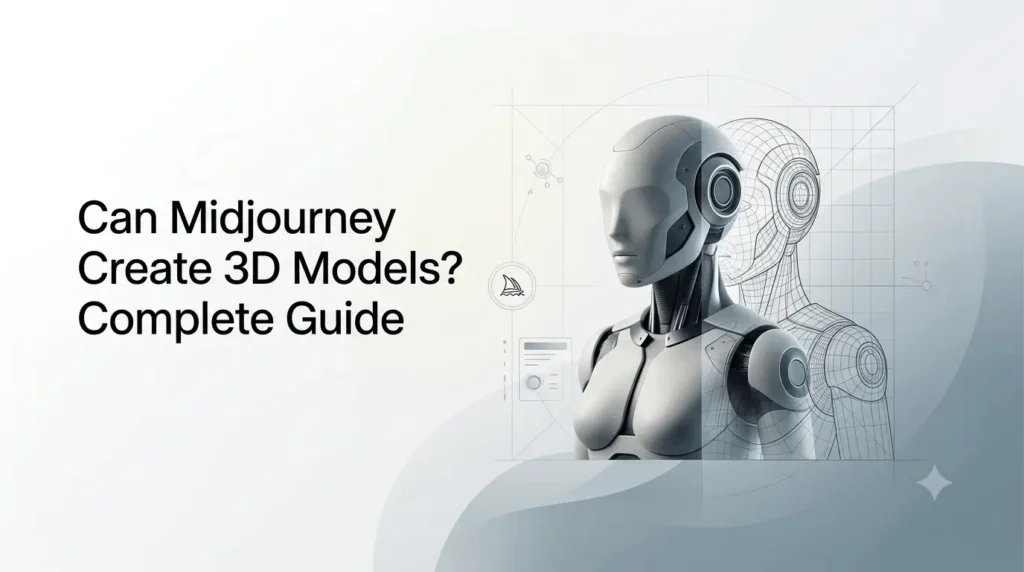
If you’re wondering can Midjourney create 3D models, the short answer is not directly, not as a usable 3D mesh or downloadable 3D asset. Midjourney is currently focused on generating images and videos, including highly realistic 3D-style visuals. Its current tools can help you design a 3D object, character, environment, or product concept, but they do not natively turn that concept into a .OBJ, .FBX, .STL, .GLB, or similar 3D model file.
That distinction matters if your goal is game development, 3D printing, AR/VR, animation, CAD, or a production-ready asset.
However, Midjourney can still be extremely useful as the first stage of a 3D workflow. You can generate concept art, explore different designs, establish materials and visual direction, and then move the resulting image into a dedicated 3D-generation or modeling tool.
Midjourney’s default model is V8.2, released on July 24, 2026. V8.2 focuses on image quality, aesthetics, personalization, and its new Edit Model rather than native 3D mesh generation.
Quick Summary
- Midjourney can create highly realistic 3D-style images, but it does not currently generate actual 3D meshes.
- You cannot directly export Midjourney creations as OBJ, FBX, GLB, or STL files.
- Midjourney is useful for 3D concept art, product designs, characters, vehicles, and game assets.
- You can use Midjourney images as references for AI 3D generators or traditional 3D modeling tools.
- Its latest editing and reference features make it easier to develop consistent 3D concepts.
- Midjourney has discussed 3D models as part of its future technology direction, but a native public 3D model generator is not currently documented.
Does Midjourney Create Actual 3D Models?
No. Midjourney does not currently function as a native 3D model generator.
A true 3D model contains spatial geometry that can be viewed from different angles and manipulated inside software such as Blender, Maya, Cinema 4D, Unity, Unreal Engine, or other 3D applications.
A Midjourney image, even when it looks like a detailed 3D render, remains an image.
For example, Midjourney can generate an image of:
- A futuristic 3D character
- A realistic product prototype
- A game-ready-looking sword
- A 3D-printing concept
- A stylized vehicle
- A sci-fi building
- A toy figure
- A detailed architectural interior
But generating an image of a 3D object is not the same as generating the object’s underlying geometry.
Image vs. 3D model
| Capability | Midjourney image | Actual 3D model |
|---|---|---|
| Looks three-dimensional | Yes | Yes |
| Can show realistic materials | Yes | Yes |
| Can be rotated freely in 3D | No | Yes |
| Contains mesh geometry | No | Yes |
| Contains vertices/faces | No | Yes |
| Can be edited in Blender as geometry | No | Yes |
| Can be exported as OBJ/FBX/GLB/STL | No | Yes |
| Suitable for 3D printing directly | No | Yes |
| Can be used as a game asset directly | No | Yes |
| Useful for 3D concept development | Excellent | Excellent |
The most important point is that visual realism does not automatically mean 3D geometry exists behind the image.
Why Does Midjourney Look So Good at 3D?
Midjourney’s image models are capable of producing sophisticated lighting, materials, reflections, shadows, perspective, depth, and object details.
That allows prompts such as:
futuristic gaming controller, industrial product design, realistic 3D render, studio lighting, matte black materials, detailed buttons, clean background
to produce an image that resembles a professional 3D render.
Current Midjourney models have also improved their ability to follow detailed prompts and produce coherent objects. V7, for example, introduced stronger prompt understanding and improved image coherence, while V8.1 and V8.2 continued development in image quality and editing.
But the model is still producing an image rather than a conventional polygonal mesh.
Can Midjourney Generate 3D-Style Images?
Yes. This is where Midjourney is particularly useful.
You can ask Midjourney to create visuals that resemble:
- 3D product renders
- CGI characters
- game concept art
- collectible figures
- architectural visualization
- mechanical objects
- vehicles
- furniture
- toys
- jewelry
- virtual environments
For example:
Prompt:
futuristic humanoid robot designed as a premium collectible figure, full body, realistic 3D product render, articulated joints, hard-surface materials, brushed aluminum and matte polymer, studio lighting, neutral background, front three-quarter view
The result can look like a professionally rendered 3D asset.
However, the output remains a 2D image.
Can Midjourney Create 3D Characters?
Yes, it can create 3D-looking character concepts, but not a production-ready 3D character mesh.
This can still be valuable for character development.
For example, you could generate:
stylized sci-fi female android, full body, symmetrical armor, mechanical joints, detailed hard-surface design, collectible figure aesthetic, realistic 3D render, neutral studio background
You could then use the image as visual reference while creating the actual model in Blender or another 3D application.
Midjourney’s reference capabilities also make it useful for maintaining visual consistency during concept development.
In V7, Omni Reference could place a character, object, vehicle, or creature from a reference image into new creations. In V8.x, Midjourney has replaced that workflow with the Edit Model, which can use up to four reference images.
That means you can develop a character’s visual identity from multiple references before moving into 3D production.
Can You Use Midjourney to Make 3D Models for Blender?
Not directly.
You cannot currently generate an image in Midjourney and simply download it as a Blender-ready .blend file or standard 3D mesh.
A more realistic workflow is:
Midjourney → concept image → 3D-generation/modeling software → cleanup → Blender
For example:
- Generate the concept in Midjourney.
- Create multiple views or variations.
- Select the strongest design.
- Use the image as reference in a 3D modeling or image-to-3D system.
- Generate or manually build the mesh.
- Clean topology and geometry.
- Add materials and textures.
- Rig the character if necessary.
- Export the finished asset.
This separates visual ideation from 3D production.
How to Use Midjourney in a 3D Modeling Workflow?
Midjourney can be extremely useful before actual modeling begins.
Step 1: Establish the concept
Start by describing the object you want to create.
For example:
futuristic electric motorcycle, compact aerodynamic body, exposed mechanical components, premium industrial design, realistic 3D product visualization
At this stage, don’t worry about generating the final mesh.
The objective is to establish the design language.
Step 2: Explore variations
Generate different versions of the concept.
Try changing:
- Shape
- Proportions
- Materials
- Color
- Mechanical details
- Camera angle
- Era
- Design style
- Level of realism
This is much faster than modeling every idea manually.
Step 3: Create useful reference views
For 3D modeling, a single image is often insufficient.
You ideally want information about:
- Front
- Back
- Side
- Top
- Three-quarter view
- Important mechanical areas
Midjourney can help you explore different perspectives, but you should not assume that every generated view represents mathematically consistent geometry.
The Edit Model in V8.2 can also be used to alter images and work with multiple references, including up to four reference images.
Step 4: Move into a 3D tool
Once you have a design you like, use it as reference for your 3D workflow.
Depending on your project, this could involve:
- Blender
- Maya
- Cinema 4D
- 3ds Max
- ZBrush
- CAD software
- An AI image-to-3D service
At this stage, the actual geometry must be created or generated outside Midjourney.
Step 5: Clean and optimize the model
AI-generated 3D geometry, where applicable, may require substantial cleanup.
Typical tasks include:
- Removing unwanted geometry
- Correcting topology
- Fixing proportions
- Creating UV maps
- Retopology
- Applying materials
- Creating textures
- Adding rigging
- Optimizing polygon count
This is particularly important for game assets and animation.
Can Midjourney Convert an Image Into a 3D Model?
Not by itself.
Midjourney can work with images as references, and its V8.2 Edit Model supports image-based creation and editing. But this should not be confused with an image-to-3D conversion system.
An image-to-3D system attempts to infer or reconstruct three-dimensional geometry from one or more images.
Midjourney’s current image workflow instead focuses on producing and modifying visual imagery.
This is why you may see workflows online described as:
Midjourney → AI 3D generator → Blender
rather than:
Midjourney → 3D model
The first workflow is currently the more accurate description.
Can Midjourney Create 3D Assets for Games?
It can help create game asset concepts, but it does not currently generate a finished game-ready 3D asset directly.
For example, a game designer could use Midjourney to design:
- Weapons
- Vehicles
- Buildings
- Characters
- Props
- Furniture
- Creatures
- Environments
- UI objects
The generated images can then guide a 3D artist or another tool that produces the actual mesh.
This can significantly reduce the time required during the concept stage.
However, a game engine generally requires actual geometry, textures, materials, rigging, collision information, and other production data—not simply a beautiful reference image.
Can Midjourney Create 3D Models for 3D Printing?
Not directly.
If your goal is to print a physical object, you generally need a watertight 3D model suitable for slicing and manufacturing.
Common formats include:
- STL
- OBJ
- 3MF
A Midjourney image does not contain the required physical geometry.
However, Midjourney can be useful for designing the appearance and concept of a printable object.
For example, you could use Midjourney to explore:
futuristic tabletop miniature, armored alien creature, intricate mechanical details, collectible resin figure, symmetrical pose, neutral background
Then the concept could be recreated or converted into a proper 3D model using appropriate 3D software.
The more complex the object, the more important manual modeling and engineering considerations become.
What About Midjourney’s 3D Roadmap?
This is where the subject becomes particularly interesting.
Midjourney has explicitly discussed 3D models as part of its longer-term technological direction.
In its announcement for the V1 Video Model in June 2025, Midjourney explained that its broader goal involves building several technological components toward real-time open-world simulations. It described images, video, 3D models, and real-time models as pieces of that larger vision.
That statement should not be interpreted as an announcement that a public Midjourney 3D model generator already exists.
Instead, it establishes that 3D is part of the company’s stated direction.
As of September 8, 2026, Midjourney’s publicly documented creation tools center on images and video. Its current documentation describes V8.2 as an image model, while its video tool turns images into five-second videos.
So there is an important difference between:
What Midjourney has discussed?
3D models as a future building block.
What users can currently access?
Image generation, image editing, references, personalization, and video generation.
Midjourney V7 vs V8.2 for 3D-Style Concepts
If your objective is creating realistic 3D-looking concepts, version history is worth understanding.
| Feature | Midjourney V7 | Midjourney V8.2 |
|---|---|---|
| Released | April 3, 2025 | July 24, 2026 |
| Primary focus | Image generation | Image generation and editing |
| 3D mesh generation | No | No |
| 3D-style images | Yes | Yes |
| Omni Reference | Yes | Replaced by Edit Model |
| Edit Model | No | Yes |
| Multiple reference images | Limited in Omni Reference | Up to 4 |
| Personalization | Yes | Improved |
| Video | Supported separately | Supported separately |
| Best use | Advanced image concepts | Current image/editing workflow |
V7 introduced Omni Reference, which could bring objects and characters from reference images into new generations. V8.2 replaced that approach with the Edit Model and expanded reference-image workflows to as many as four images.
Neither version should be described as a native 3D mesh generator.
Is Midjourney Good for 3D Product Design?
Yes, particularly during the concept and visualization stage.
A product designer can use Midjourney to rapidly explore:
- Product shapes
- Packaging concepts
- Materials
- Color combinations
- Industrial design directions
- Lighting
- Presentation styles
- Alternative form factors
For example:
premium wireless headphones, futuristic industrial design, sculpted ergonomic ear cups, brushed aluminum, soft-touch black polymer, realistic product render, studio photography, front three-quarter view
This can produce a strong visual direction before a CAD model is created.
The important limitation is that the generated proportions may not satisfy engineering constraints.
A beautiful Midjourney concept does not automatically provide:
- Accurate dimensions
- Manufacturing tolerances
- Mechanical clearances
- Wall thickness
- Internal components
- Parametric CAD data
Therefore, Midjourney is better treated as a design ideation tool, not engineering software.
How to Write Better Midjourney Prompts for 3D-Looking Objects?
If you want a convincing 3D-render appearance, describe the visual characteristics rather than simply writing “make a 3D model.”
Useful prompt elements include:
Object type
Clearly define what you want:
futuristic robot
luxury watch
sci-fi vehicle
gaming controller
Material
Specify the surface:
brushed aluminum
carbon fiber
matte polymer
translucent glass
polished chrome
Lighting
Lighting strongly affects perceived depth:
studio lighting
softbox lighting
rim lighting
cinematic lighting
controlled product lighting
Camera angle
Try:
three-quarter view
front view
side profile
low-angle view
orthographic-style product presentation
Rendering style
Useful descriptions include:
realistic product visualization
CGI render
photorealistic 3D visualization
industrial design render
high-detail studio render
For example:
futuristic electric scooter, premium industrial design, aerodynamic frame, brushed aluminum and matte black polymer, detailed mechanical components, realistic CGI product render, studio softbox lighting, three-quarter front view, neutral background
The goal is to communicate the appearance of a 3D render, not ask Midjourney to produce actual geometry.
Can Midjourney Generate Different Views of the Same 3D Object?
It can attempt to generate different views, but consistency is not equivalent to having a true 3D model.
This distinction is important.
If you generate a car from the front and then ask for the rear view, Midjourney is not simply rotating the same underlying 3D object.
It is generating another image based on its understanding of the prompt and references.
Consequently, small details may change.
For production modeling, this means you should treat generated views as visual references rather than precise technical blueprints.
Midjourney’s current Edit Model can help manipulate perspectives and reference images, but the result remains an image-generation workflow.
Midjourney vs AI 3D Model Generators
The two categories serve different purposes.
| Capability | Midjourney | Dedicated AI 3D Generator |
|---|---|---|
| Image generation | Excellent | Usually secondary |
| 3D-style concept art | Excellent | Good |
| Actual 3D geometry | No | Yes, depending on tool |
| Mesh export | No | Typically supported |
| Concept exploration | Excellent | Good |
| Artistic iteration | Excellent | Varies |
| 3D-printing workflow | Concept stage | More suitable |
| Game asset workflow | Concept stage | More suitable |
| Product visualization | Excellent | Useful |
| Detailed visual ideation | Excellent | Varies |
The best choice depends on the output you need.
If you need a picture, Midjourney is appropriate.
If you need a 3D object that can be manipulated in 3D space, you need a dedicated 3D workflow.
Can Midjourney Create 3D Videos?
Midjourney can now generate videos from images, but that is different from generating 3D models.
Its current video feature can turn an image into a five-second video, with options for low or high motion. Midjourney documents video generation as a separate capability from image generation.
For example, you could generate a futuristic spaceship in Midjourney and then animate that image.
The resulting video can create the impression of moving through a 3D environment, but it does not mean that Midjourney has created a manipulatable 3D spaceship model.
Is Midjourney Planning a 3D Model Generator?
There is evidence that Midjourney is interested in 3D technology, but users should distinguish roadmap direction from product availability.
Midjourney’s 2025 video announcement explicitly placed 3D models among the building blocks it wanted to develop toward real-time open-world simulations.
However, that announcement did not provide a current public 3D modeling product, file formats, mesh specifications, release date, or pricing for a Midjourney 3D model generator.
Therefore, claims that Midjourney currently generates downloadable 3D meshes should be treated cautiously unless they are backed by a newer official announcement or documentation.
How Much Does Midjourney Cost for 3D Concepts?
There is no separate Midjourney 3D-model subscription because Midjourney does not currently offer a native public 3D-model generation feature.
Its regular plans are used for its image and video capabilities.
As currently documented, Midjourney offers four subscription tiers:
| Plan | Monthly price | Annual price |
|---|---|---|
| Basic | $10/month | $96/year |
| Standard | $30/month | $288/year |
| Pro | $60/month | $576/year |
| Mega | $120/month | $1,152/year |
Annual billing provides a 20% discount compared with the equivalent monthly pricing.
For someone using Midjourney mainly to create 3D concepts, the appropriate plan depends on how frequently they generate images and videos rather than on 3D modeling requirements.
Who Should Use Midjourney for 3D Work?
Midjourney is particularly useful for:
Concept artists
Generate and refine ideas before committing to detailed modeling.
Game designers
Create visual concepts for weapons, environments, characters, vehicles, and props.
Product designers
Explore different forms, materials, and product directions.
3D artists
Use AI-generated references to accelerate early-stage ideation.
Marketers
Create convincing 3D-style product visuals without building a complete 3D asset.
Creative teams
Explore multiple visual directions quickly before selecting one for production.
It is less suitable when the immediate requirement is a technically accurate 3D asset.
What Are the Main Limitations?
The biggest limitation is simple: Midjourney generates images, not conventional 3D geometry.
Other limitations include:
- No native downloadable 3D mesh workflow
- No direct OBJ/FBX/GLB/STL export
- Generated views may not be geometrically consistent
- Dimensions are not guaranteed to be accurate
- Engineering constraints are not represented
- A visual concept is not automatically suitable for manufacturing
- Game-ready topology is not provided
- Rigging is not generated as part of the normal image workflow
- Texture and UV workflows require additional tools
These limitations do not make Midjourney unsuitable for 3D projects. They simply define where Midjourney belongs in the pipeline.
The Best Midjourney-to-3D Workflow
For most creators, the most practical approach is:
1. Ideate in Midjourney
Generate several visual directions.
2. Refine the concept
Use prompts, references, and the Edit Model to improve the design.
3. Generate multiple views
Create front, side, rear, and three-quarter references where useful.
4. Choose the final design
Select the concept that is easiest to reproduce in 3D.
5. Convert or rebuild externally
Use a dedicated image-to-3D tool or manually model the object.
6. Clean the geometry
Correct topology, proportions, surfaces, and unwanted artifacts.
7. Add production materials
Create appropriate textures, UVs, shaders, and materials.
8. Optimize for the destination
A game asset, 3D print, animation model, and product visualization all have different requirements.
This workflow gets the most value from Midjourney without expecting it to perform a job it is not currently designed to do.
Conclusion
So, can Midjourney create 3D models? Not in the conventional sense, at least not with the publicly available Midjourney tools documented as of September 2026.
Midjourney is currently much better understood as a 3D concept and visualization tool than as a 3D modeling application. Its image models can produce impressive 3D-looking characters, products, vehicles, environments, and objects, while its reference and editing features make it increasingly useful for developing consistent designs.
For an actual 3D asset, the practical workflow is to use Midjourney for ideation and visual development, then move the selected concept into a dedicated 3D modeling or image-to-3D workflow.
The long-term picture could change. Midjourney has explicitly identified 3D models as one of the building blocks toward its broader vision of real-time open-world simulations. But until an official 3D-generation product, workflow, and export capability are released, claims that Midjourney itself currently creates production-ready 3D meshes are premature.
Frequently Asked Questions (FAQs)
1. Can Midjourney create 3D models?
Not directly. As of September 2026, Midjourney creates images and videos rather than conventional downloadable 3D meshes. It can produce highly realistic 3D-style visuals that can be used as references for a separate 3D modeling workflow.
2. Can Midjourney export OBJ or STL files?
No. Midjourney’s current documented image workflow does not provide native OBJ or STL 3D-model export. Its Editor exports generated or edited imagery rather than conventional 3D geometry.
3. Can I use a Midjourney image to make a 3D model?
Yes. A Midjourney image can serve as a visual reference for manual modeling or as input to a separate image-to-3D system. However, Midjourney itself does not perform the complete image-to-mesh conversion.
4. Is Midjourney good for 3D product design?
Yes. It is particularly useful for early-stage product visualization, industrial design exploration, materials, form studies, and marketing concepts. It should not replace CAD software when accurate engineering dimensions are required.
5. Does Midjourney have a 3D model generator?
There is no publicly documented native 3D model generator in the current Midjourney product documentation. Midjourney has previously described 3D models as part of its longer-term direction toward real-time open-world systems, but that should not be confused with a currently available 3D export feature.
6. Can Midjourney make 3D characters?
It can create highly detailed images of characters that look like 3D renders or collectible figures. Creating an actual rigged, textured, manipulatable 3D character requires additional software or a dedicated 3D-generation workflow.
Also Read –
Can Midjourney Create SVG? A Complete Guide (2025)
Midjourney V8.2 Guide: Is It Better?
Midjourney V8.2 Image Edit Model in Alpha Testing
Beyond Single Prompts: How to Use Midjourney Omni Reference Like a Pro?