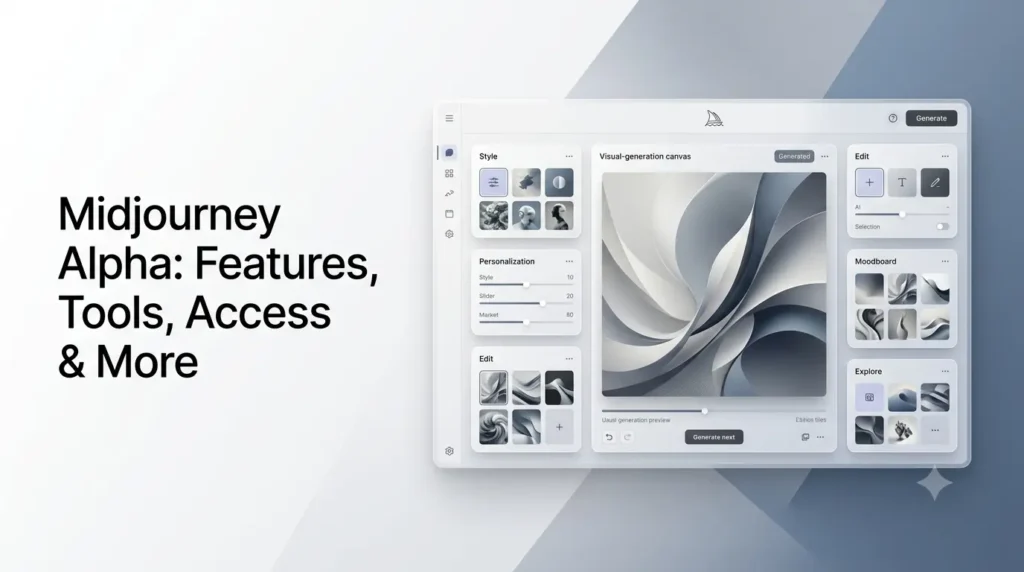
Midjourney Alpha refers to Midjourney’s experimental web experience at alpha.midjourney.com, where new interface features and model capabilities have been tested ahead of broader releases. In 2026, the term can be confusing because Midjourney has used Alpha both for its experimental website and for early versions of its V8 model.
The current Alpha environment focuses heavily on making Midjourney easier to control through the web, while preserving advanced creative controls. Recent updates have added improvements to image editing, style previews, project organization, personalization, mobile support, and the creation workflow.
It is also important to distinguish Midjourney Alpha from V8 Alpha. V8 Alpha was an early test version of the V8 model launched in March 2026. V8.0 was later removed from active use, while V8.2 became the default Midjourney version in July 2026.
What Is Midjourney Alpha?
Midjourney Alpha is an experimental version of Midjourney’s web-based creative interface where the company tests new features, workflows, and user-interface improvements.
Unlike the traditional Discord-based experience, the web environment puts image creation, editing, personalization, styles, organization, and other creative controls into a visual workspace. Midjourney continues to update the Alpha environment frequently, meaning its interface and available features can change over time.
The current Midjourney website itself now provides a broader web-based creation experience, including Create, Explore, Edit, Personalize, Organize, and Tasks. Some capabilities are also being tested or refined through the Alpha environment.
Midjourney Alpha vs. V8 Alpha
These terms should not be treated as identical.
| Term | Meaning |
|---|---|
| Midjourney Alpha | Experimental web interface and feature-testing environment |
| V8 Alpha | Early testing version of Midjourney’s V8 image model |
| V8.1 | Later V8 generation that became the default model in June 2026 |
| V8.2 | Current default version released in July 2026 |
| midjourney.com | Main Midjourney web experience |
V8 Alpha launched on March 17, 2026, giving the community early access to the model and asking users to provide feedback. Midjourney described it as an early version and highlighted better prompt understanding, personalization, style references, moodboards, image coherence, text rendering, and faster generation.
By July 24, 2026, V8.2 had become the default version, while V8.0 Alpha was no longer available for new generations.
What Can You Do With Midjourney Alpha?
The Alpha environment is primarily designed around a visual workflow rather than a command-heavy chat interface.
Some of its important capabilities include:
- Generate images from text prompts
- Upload images as references
- Edit existing images
- Perform localized image changes
- Expand images with outpainting
- Use personalization profiles
- Create and use moodboards
- Explore style references
- Organize creations into folders and projects
- Search previous creations
- Preview styles
- Work with images and videos
- Manage creative projects from the web interface
The exact interface can change because Alpha is actively being developed. Recent September updates, for example, introduced live style previews, default parameter settings, a redesigned Create feed, improved editing, project organization, and better mobile behavior.
Midjourney Alpha Key Features
Followings are the key features of midjourney alpha, that you sould know.
1. Web-Based Image Generation
The Create page provides the main image-generation workflow.
Users enter a description into the Imagine bar, optionally attach images, adjust settings, and generate creations without having to work through a Discord channel. The web interface also exposes prompts, parameters, and reference images associated with creations.
This makes the workflow easier to understand visually, particularly for users who are not familiar with Midjourney’s Discord commands.
2. Image References
Midjourney supports using images as part of the creative process.
The current V8.2 Edit Model can work with up to four reference images at once. These references can help guide a generation or provide material for an editing workflow.
This is particularly useful for projects involving:
- Product references
- Character concepts
- Visual inspiration
- Composition references
- Style development
- Brand imagery
3. AI Image Editing
One of the biggest developments around the Alpha experience is the integrated editing workflow.
Midjourney’s V8.2 Edit Model supports editing images using natural-language instructions, inpainting selected areas, and outpainting to expand the canvas. It can also use multiple reference images.
For example, instead of regenerating an entire image, a user can select a particular part and describe what should change.
Recent Alpha updates have also improved targeted editing so that selected areas can be changed without unnecessarily altering the rest of the image.
4. Personalization
Midjourney’s Personalization system allows users to create an aesthetic profile based on their preferences.
Instead of repeatedly explaining a preferred visual style through prompts, users can build a profile that helps Midjourney understand the types of imagery they like. The website provides dedicated tools for creating and managing these profiles.
Personalization is particularly useful for creators who repeatedly produce content with a recognizable visual identity.
5. Moodboards
Moodboards provide another way to establish a consistent visual direction.
Users can collect images representing a particular aesthetic and use that collection to influence future generations. Midjourney describes Moodboards and Personalization as separate ways of capturing visual preferences.
For example, a designer could create a moodboard around:
- Editorial photography
- Minimal product design
- Fashion imagery
- Architectural visualization
- Film-inspired compositions
6. Style Creator and Style References
The Style Creator is a web-exclusive tool for developing custom Style Reference codes.
Users select visual examples from generated grids, and Midjourney creates a style reference code that can be reused with different prompts. This allows a creator to carry a particular aesthetic across multiple projects.
The Explore section also includes a Style Explorer, where users can discover and test style codes created within the Midjourney ecosystem.
A September 2026 Alpha update added live style previews, allowing users to see how their current prompt looks across available styles while browsing them.
7. Conversational Creation
Midjourney’s website includes a conversational mode designed to let users describe what they want in more natural language.
Instead of manually constructing a complex Midjourney prompt, the conversational interface can help turn an idea into a usable prompt. Midjourney identifies Conversational mode as a web-exclusive capability.
This can be particularly useful for beginners who understand the image they want but are not comfortable with Midjourney’s parameters.
8. Organize and Project Management
Midjourney’s web workflow is not limited to generating images.
The Organize area allows users to search, filter, sort, and group their creations. Projects and folders can be used to keep large libraries of images and videos manageable.
Recent Alpha updates expanded project organization with folder groups, sidebar improvements, project controls, and archive functionality.
This matters for professional users who may generate hundreds or thousands of assets over time.
9. Video Creation
Midjourney also supports video generation from images.
The current video system can turn a single image into a five-second video, with optional prompting for the motion. Video generation uses GPU time, and the available modes depend on the subscription plan.
This expands Midjourney beyond static image creation into short-form visual content.
10. Mobile and Tablet Improvements
Midjourney has also been working on improving its web experience on smaller screens.
A September 2026 Alpha update introduced an initial mobile and tablet pass, addressing layout problems involving full-width pages, bottom navigation, screen rotation, and Safari’s browser toolbar.
The experience is still evolving, so desktop remains the more predictable environment for complex creative work.
How Does Midjourney Alpha Compare With the Main Midjourney Website?
The distinction between the two can be confusing because Midjourney’s standard web application has itself become much more capable.
| Area | Midjourney Alpha | Main Midjourney Website |
|---|---|---|
| Purpose | Experimental testing and new interface work | Main production web experience |
| Image generation | Yes | Yes |
| Image editing | Yes | Yes |
| Personalization | Yes | Yes |
| Moodboards | Yes | Yes |
| Style tools | Actively tested and updated | Available |
| Organization | Projects, folders and archive features | Available |
| Video | Supported within Midjourney’s web ecosystem | Supported |
| Interface changes | Frequent | More established |
| Best use | Testing newer workflows/features | Regular Midjourney creation |
The important point is that Alpha should not be understood simply as a completely separate Midjourney product. Midjourney uses it as an environment for testing and refining parts of its web experience.
What Happened to Midjourney V8 Alpha?
Midjourney V8 Alpha was announced on March 17, 2026.
The initial V8 Alpha release focused on several improvements:
- Better understanding of detailed prompts
- Improved visual coherence
- More detailed images
- Better text rendering
- Stronger personalization
- Improved style references and moodboards
- Faster image generation
- A redesigned web interface
Midjourney said V8 generation was approximately five times faster than the previous experience at the time of its Alpha announcement.
V8.1 followed in April 2026. Midjourney described it as more consistent with the visual character of V7 while improving speed, HD generation, image prompting, prompt shortening, and Describe.
V8.1 subsequently became the default model in June 2026.
V8.2 became the default version on July 24, 2026, adding aesthetic and personalization improvements alongside the new Edit Model.
This progression is why older articles describing “Midjourney Alpha” as simply “the place to use V8” can now be misleading.
What Is New in Midjourney Alpha in September 2026?
Midjourney is still actively updating the Alpha experience.
Recent changes include:
- Live style previews for testing styles against a prompt
- Default parameter settings for saving preferred prompt controls
- Full-width masonry Create feed
- Hover-based prompt and action controls
- Improved project and archive navigation
- Better editing history navigation
- V8.1 and V8.2 editing support
- HD editing canvases
- Improved reference-upload error messages
- Mobile and tablet interface improvements
- Korean language support
- Better project organization
These changes demonstrate that Alpha is still being used as an active testing environment rather than a finished, static product.
How Do You Access Midjourney Alpha?
The easiest way to start is to use your existing Midjourney account.
For the standard Midjourney web experience, Midjourney directs users to midjourney.com, where they can log in, select a subscription, and access the Create page.
For experimental Alpha features, Midjourney continues to publish updates specifically for alpha.midjourney.com.
Because the Alpha environment changes frequently, access and available features can depend on the current test, account, model, and rollout. It is therefore better to treat the Alpha site as an experimental environment rather than assuming every feature will always be available there.
Is Midjourney Alpha Free?
Midjourney does not currently offer a general free plan for its normal image-generation service.
Its official subscription structure includes four main plans:
| Plan | Monthly price | Annual price | Fast GPU time |
|---|---|---|---|
| Basic | $10/month | $96/year | 3.3 hours |
| Standard | $30/month | $288/year | 15 hours |
| Pro | $60/month | $576/year | 30 hours |
| Mega | $120/month | $1,152/year | 60 hours |
Standard, Pro, and Mega plans include unlimited image generations in Relax Mode, while Stealth Mode is available on Pro and Mega.
Annual subscriptions receive a 20% discount compared with the equivalent monthly pricing when paid upfront.
Taxes can also be added depending on the user’s billing location.
Because Alpha features can change independently during testing, users should check Midjourney’s current plan documentation before subscribing specifically for an Alpha capability.
What Are the Main Benefits of Midjourney Alpha?
The biggest advantage is the move toward a more visual creative workflow.
1. Easier image creation
The web interface makes prompting and generation easier to understand than a traditional chat-based workflow.
2. Better project organization
Folders, projects, search, filters, and archive tools make it easier to manage large collections.
3. More control over visual style
Personalization, Moodboards, Style References, and Style Creator give creators several ways to maintain consistent aesthetics.
4. Integrated editing
Users can move from generation to editing without relying entirely on separate image-editing software.
5. Faster experimentation
The Alpha environment allows Midjourney to test interface ideas and creative workflows before they become more established.
What Are the Limitations of Midjourney Alpha?
Alpha also has limitations that users should understand.
The interface can change frequently. Features, controls, and layouts may move or be replaced as Midjourney tests new approaches. Recent Alpha changelogs explicitly describe ongoing experiments and fixes.
Not every feature is permanent. Experimental functionality can be modified or removed.
Model behavior changes between versions. V8.1 and V8.2, for example, introduced different changes to aesthetics, speed, editing, and personalization.
GPU time matters. Image generation, video, editing, and some preview operations consume GPU resources depending on the feature and mode.
Privacy requires attention. Midjourney operates as an open-by-default community. Creations can potentially appear on the Explore page unless appropriate privacy controls are used. Stealth Mode is available on Pro and Mega plans.
Who Should Use Midjourney Alpha?
Midjourney Alpha is particularly relevant for users who want to explore the newest web-based creative workflows.
It can be useful for:
- Digital artists experimenting with visual styles
- Graphic designers creating concepts and references
- Marketers producing campaign imagery
- Content creators developing social and editorial visuals
- Product teams exploring visual concepts
- Photographers experimenting with synthetic compositions
- AI image enthusiasts who want to test new Midjourney features
- Professional creators managing larger collections of generated assets
For someone who simply wants a stable place to create images, the main Midjourney website is generally the more straightforward starting point.
For someone interested in testing new interface ideas and experimental capabilities, Alpha is more relevant.
Midjourney Alpha vs Discord
Midjourney originally became closely associated with Discord, but its web experience has expanded substantially.
| Feature | Midjourney Web/Alpha | Discord |
|---|---|---|
| Text-to-image generation | Yes | Yes |
| Visual creation interface | Strong | Chat-based |
| Personalization management | Web tools | More limited management |
| Moodboard management | Web | Limited |
| Style Creator | Web-exclusive | No |
| Conversational mode | Web-exclusive | No |
| Project organization | Web | Primarily server/channel based |
| Advanced editing workflow | Web | Supported through commands/features |
| Community interaction | Explore and web features | Strong Discord community experience |
Midjourney itself identifies the Editor, Personalization Profiles, Moodboards, and Conversational mode as web-exclusive tools.
For creators who prefer visual project management, the web environment offers a fundamentally different workflow from generating images inside Discord channels.
Is Midjourney Alpha the Same as Midjourney V8?
No.
This is one of the most important distinctions.
Midjourney Alpha refers primarily to an experimental web environment and its ongoing interface experiments.
V8 Alpha referred to an early version of Midjourney’s V8 image model released for testing in March 2026.
V8.0 was eventually retired, V8.1 became the default in June, and V8.2 became the default in July.
So if you find an older article saying “Midjourney Alpha is where you access V8,” that information may describe an earlier stage of Midjourney’s development.
Conclusion
Midjourney Alpha is best understood as an experimental web environment for testing and refining Midjourney’s creative experience, rather than simply another name for the V8 model.
The distinction matters because the original V8 Alpha launched in March 2026 and was later superseded by V8.1 and V8.2. Meanwhile, Midjourney has continued updating its Alpha website with new editing, style, personalization, organization, and interface features.
For creators, the most important development is the broader shift from a Discord-first workflow toward a visual web workspace where generation, editing, styling, personalization, and asset management can happen together.
At the time of writing in September 2026, Alpha remains an actively evolving part of Midjourney’s web development, so specific tools and interface elements may change as new updates are released.
Frequently Asked Questions (FAQs)
1. What is Midjourney Alpha?
Midjourney Alpha is an experimental web environment used by Midjourney to test new creative features, interface changes, and workflows. It is associated with alpha.midjourney.com and should not be confused with the earlier V8 Alpha model.
2. Is Midjourney Alpha free?
Midjourney’s normal image-generation service requires a subscription. Current plans start at $10 per month for Basic, with Standard, Pro, and Mega tiers offering progressively more GPU time and features.
3. Is Midjourney Alpha the same as V8 Alpha?
No. V8 Alpha was an early test version of the V8 model. Midjourney Alpha refers to the experimental web environment and ongoing interface testing.
4. What can you do in Midjourney Alpha?
Depending on the current rollout, users can generate images, use references, edit images, manage styles and personalization, organize creations, explore styles, and test newer web workflows.
5. Can Midjourney Alpha edit images?
Yes. Midjourney’s current Edit Model supports instruction-based editing, image references, inpainting, and outpainting.
6. Is Midjourney Alpha better than Discord?
They serve different workflows. The web experience provides visual tools such as Style Creator, Moodboards, Personalization management, editing, and project organization, while Discord remains useful for users who prefer a command- and community-oriented workflow.
Also Read –
Midjourney V8.2 Guide: Is It Better?
Midjourney Versions V1–V7: A Complete Guide (2026)
Midjourney V8 Alpha: Key Features, Rendering Speed, and Prompt Controls
Midjourney V8.2 Image Edit Model in Alpha Testing